To improve Trust Factor in CS2, first find out who the lobby warning appears with. Then fix how you behave in matches and add activity to your profile: commends, hours and comments. Valve does not show the number itself anywhere, in the game or on Steam.
First, identify what changed
The only signal the game gives you is a warning before a Competitive match. Only Prime players see it, and only about other Prime players in the lobby. You will never get this message about yourself. If your Trust Factor is low, the warning shows up for your friends.
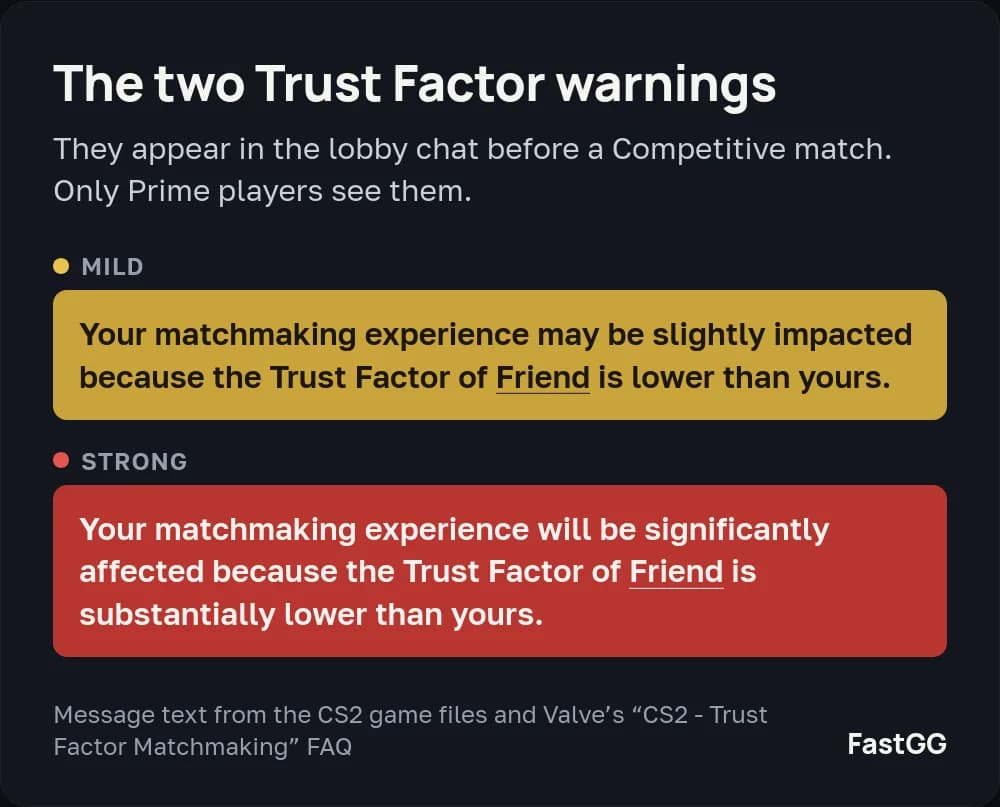
There are two messages. The mild one says “Your matchmaking experience may be slightly impacted because the Trust Factor of (player) is lower than yours.” The strong one says it “will be significantly affected because the Trust Factor of (player) is substantially lower than yours.” The name in the message is the player with the lower Trust Factor.
The warning compares the players in one lobby. If a friend sees a warning with your name today and nobody saw one in yesterday’s party, that does not prove your Trust Factor dropped overnight. The new friend may simply have a higher one. Test it with the same friend: form a lobby together and ask whether they see a warning and whose name is in it. For what each warning means and other ways to check, read what Trust Factor is and how to check it.
Bad matches without any warning do not prove low trust on their own. Valve says the players on a server also depend on the time of day, your region and the maps you queue for.
If you suspect an opponent of cheating, look at their profile. Our guide on how to spot a cheater in CS2 shows what 3,481 accounts looked like before their ban.
Why might your Trust Factor be low?
Valve does not publish the full list of factors. Its FAQ only says Trust Factor comes from your account’s history in CS2 and on Steam. The game does not tell you why a particular account dropped, so check the three things below.
Reports and team behavior
Cheating, damaging teammates on purpose, griefing and arguments in chat all give other players a reason to report you. If this keeps happening, stop that first. Finish your matches, give your team useful information and do not let an argument turn into sabotage.
Friends and party matchmaking
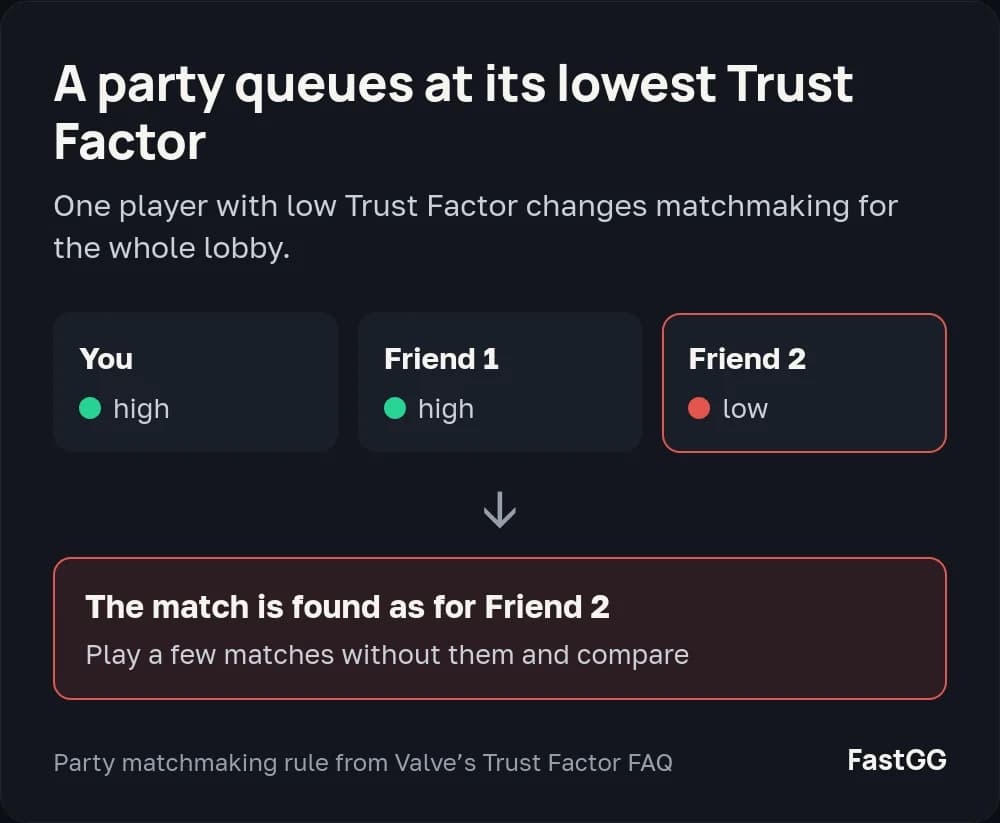
For a party, matchmaking uses the lowest Trust Factor of anyone in it. So bad matches may happen only when one particular person plays with you. Play a few matches with your usual party and a few without that player before you draw conclusions about your own account.
New accounts and limited history
A new CS2 player does not automatically get a low Trust Factor. Valve says that with a good Steam history you will likely start CS2 with a high one. If the account has barely been used, the system has little data, and the more you play, the better it can match you.
How to raise a red Trust Factor: five steps
1. Improve your match behavior
Valve’s main advice is to play CS2 and other Steam games legitimately and be a positive member of the community. In a match, that means helping teammates, not getting in their way on purpose and not abusing vote kicks. If an argument is already hurting the round, drop it and get back to playing.
2. Get CS2 commends
Commends raise Trust Factor. CS2 has three kinds: Friendly, Teacher and Leader. You can see the counts on your player card next to the Prime icon. Each player counts once in each counter, and a new commend from the same player replaces the old one.
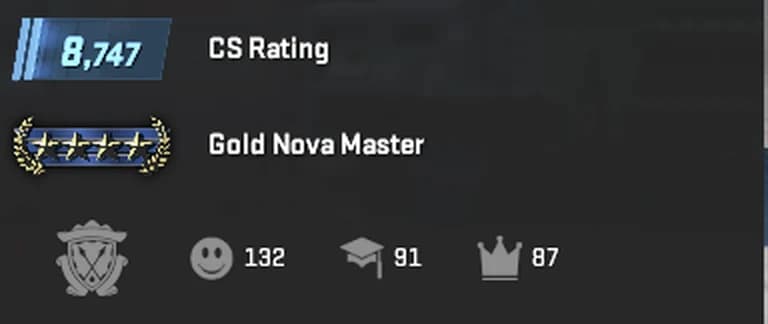
You earn commends through useful team play: share information, help teammates and communicate calmly. After a good match, you can ask a teammate to leave one.
How to commend a player, where to see your own commends and how many players you can commend a day is in our guide on how to get commends in CS2.
If ordinary matches bring you few commends, you can buy CS2 commends from FastGG. No account password is needed. They do not replace work on your behavior, though. When every match ends in an argument, the communication problem still needs attention.
3. Build Steam playtime and activity
Keep playing CS2 and other games you enjoy. Valve looks at your account’s history across Steam. Playtime increases profile activity and Trust Factor. If you want to add more through a service, FastGG offers a Steam hours booster that runs games on its server. Steam Guard stays on the whole time.
Valve also mentions the Steam Community. Join discussions, answer newcomers’ questions and write a guide when you have something to explain.
4. Add Steam profile comments
Comments increase profile activity and Trust Factor. Ask people you enjoyed playing with to leave a note on your wall about teamwork, good communication or a match you played together.
Steam profile comments from FastGG come from real accounts and help raise Trust Factor and profile activity. Your wall needs to be open to comments from everyone. Read more about Steam comments and Trust Factor if you want to understand their role.
5. Review your account's status
Valve names a linked phone number and your Counter-Strike 2 Rank among the factors and recommends adding a phone number if you have not. Check these on your account:
- Prime. Without it you do not see lobby warnings and do not get a skill group or CS Rating. You can buy Prime in the game or on the CS2 page of the Steam Store.
- Phone number. Whether one is linked and up to date is shown on the phone number settings page once you sign in to Steam.
- Steam Guard. Valve does not list it as a factor, but it protects the account from being stolen. Its status is on the Steam Guard page.
If the game shows a separate ban or restriction, read the reason in that specific message first. Improving trust and lifting a restriction are separate tasks.
Trust Factor myths
- “Remove low-trust players from your friends list.” Valve only describes the effect of queueing together: a party is matched at its lowest Trust Factor. Its FAQ says nothing about friends lists. If you suspect a friend, play without them and compare.
- “A Steam guide is worth so many trust points.” Valve does not publish what single actions are worth, so point tables have nothing to be based on.
- “One report costs you so much trust.” Valve does not give a cost for a report either. A teammate threatening to report you says nothing about your Trust Factor.
- “The icon color on your player card shows your trust.” The shield icon next to your commends is the Prime icon, and its tooltip says so. It does not show a trust color.
- “A website can show your exact Trust Factor.” Valve says plainly that there is no way to check it. Any checker, ours included, estimates from public profile data.
How long does Trust Factor take to recover?
Valve gives no time frame. Its FAQ does tell you how to notice progress: as a player’s Trust Factor improves, fewer teammates see the warning about them.
So repeat the test with the same friend you started with. If they used to see the strong warning and now see the mild one or none, the gap between you has narrowed, most likely because your Trust Factor went up. Judge match quality over at least ten games, because one evening tells you nothing.
For another view, use the free Trust Factor checker. It needs no password and shows what pulls your profile score down: hours, the comment wall or commends. It estimates from public profile data and does not show Valve’s hidden value.
Frequently asked questions
Can I improve Trust Factor for free?
Yes. Fair play, helping teammates, ordinary in-game commends and taking part in the Steam Community cost nothing. Linking a phone number is free too.
Do commends, hours and comments help?
Yes. All three raise Trust Factor and make your profile more active.
Should I buy games just for Trust Factor?
No. Valve looks at your Steam history but does not name purchases as a factor. Play what you already have in your library.
What if I play fairly and the problem continues?
Email Valve at CSGOTeamFeedback@valvesoftware.com with the subject “Trust Factor Feedback”. Describe what happens in your matches and include your Steam ID. It is a 17-digit number starting with 7656. Valve’s instructions show where to find it: open your profile, click Edit Profile and look under the Custom URL box. If you set a custom URL, clear the box and the number appears below it. If bad matches only happen with one friend, Valve asks that friend to write in with their own Steam ID.
The address and these instructions are in the official Valve FAQ. It does not say how soon Valve replies.