CS2 Premier gives you one number for every map: your CS Rating. You get it after 10 wins, it moves after every match, and it decides where you stand on the leaderboards.
Ranks on individual maps, from Silver I to The Global Elite, belong to Competitive. Our CS2 Competitive ranks guide lists them all.
How to unlock Premier and get a CS Rating
Premier needs Prime Status and CS2 Profile Level 10. Your profile level grows with match XP and has nothing to do with your Steam level. Valve lists both requirements in its Prime Status FAQ.
Your rating appears after 10 Premier wins. Only wins count, so after 10 matches with 5 wins the game still says “Win 5 additional matches to establish your CS Rating”. Competitive wins do not count.
Starting ratings differ from player to player, and Valve does not publish the placement formula, so your K/D will not predict it. If you would rather have an experienced player play your placements, see CS2 placement matches.
How long placement takes and what helps you place higher is covered in our guide to CS2 placement matches.
How CS Rating differs from FACEIT levels
Players often call any matchmaking number “Elo”, but CS2 itself has no stat by that name. Valve’s skill group FAQ only compares Competitive skill groups to an Elo rating in chess.
Elo proper lives on FACEIT, where it sets your level from 1 to 10. The thresholds are in our guide to FACEIT levels and Elo ranges. FACEIT looks at your Premier rating only once, when you sign up, and after that the two numbers move independently.
How your rating changes after a match
Before a match, the game shows what is at stake: how much rating a win adds and a loss takes away. In the screenshot, the player has 15,108, a win is worth +201 and a loss costs 108.
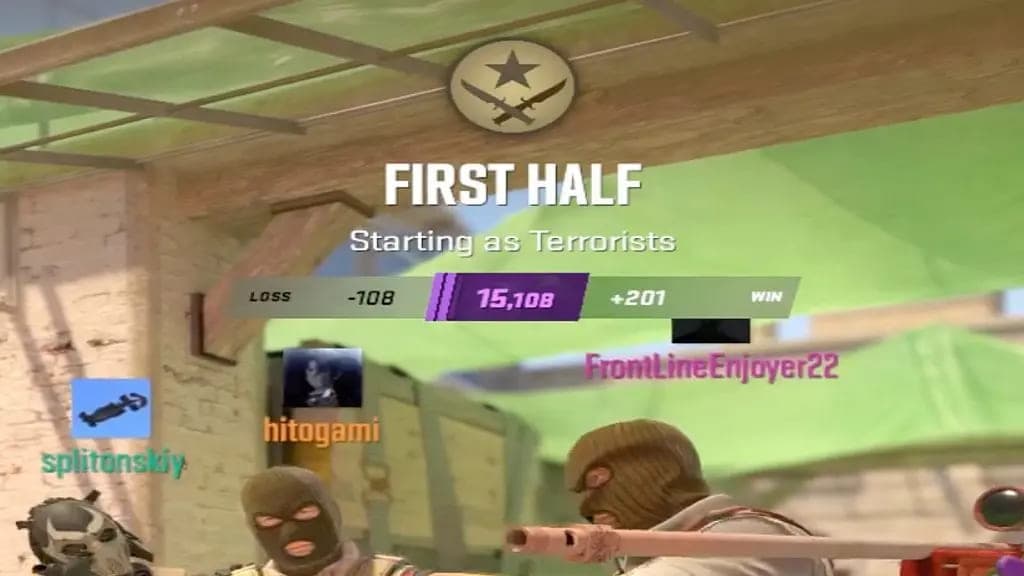
The stakes are set per match, and Valve does not publish the formula. One match’s numbers will not tell you what the next win is worth.
Promotion and relegation matches happen at color boundaries. At 14,999 your next match is a promotion match, and at exactly 15,000 it is a relegation match. This has been the rule since the October 10, 2023 update.
If you get kicked from a match, your rating changes based on the final result of that match. If an opponent is later banned for cheating, the game can give back the points you lost to them and tells you at the end of your next match.
After a long break your rating disappears and the game shows “CS Rating Expired”. One win brings it back.
How far apart can ratings be in a party?
Valve does not publish the limit. If the gap is too big, the queue will not start, and you will see “CS Ratings of players in your party are too far apart to participate in matchmaking together.”
A full party of five is allowed a bigger gap. That is why a smaller party sometimes sees a message saying it can only queue “if you play with a full team of five players”.
A player with a very high rating cannot queue with someone who has no rating yet. Valve’s last announced change to the party rules came in February 2025, and since then most parties from Season One have been able to play together again.
Rating colors and 5,000-point boundaries
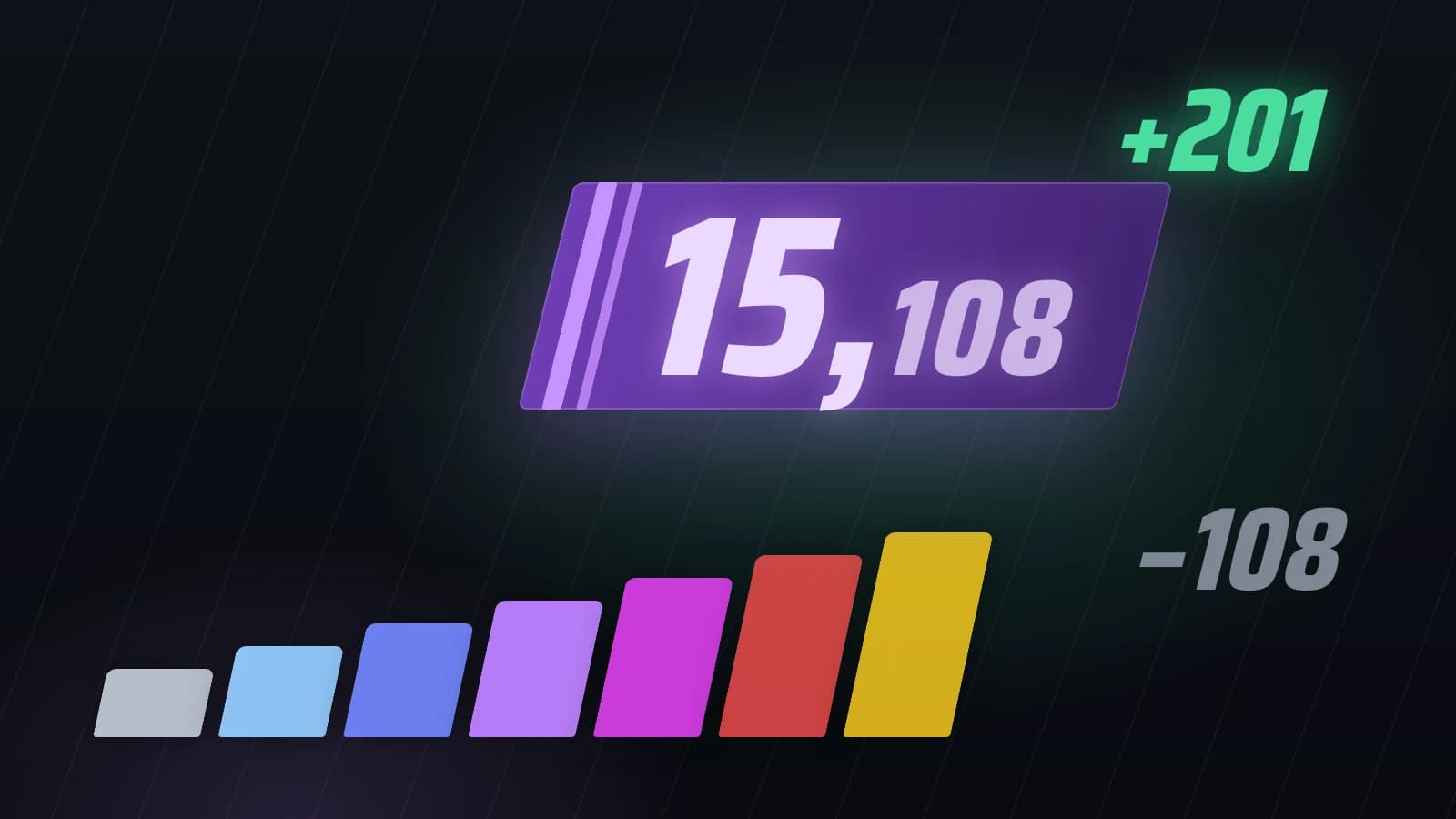
The color of your CS Rating changes every 5,000 points. Below 5,000 it is grey, followed by light blue, blue, purple, pink and red, and from 30,000 it turns gold.
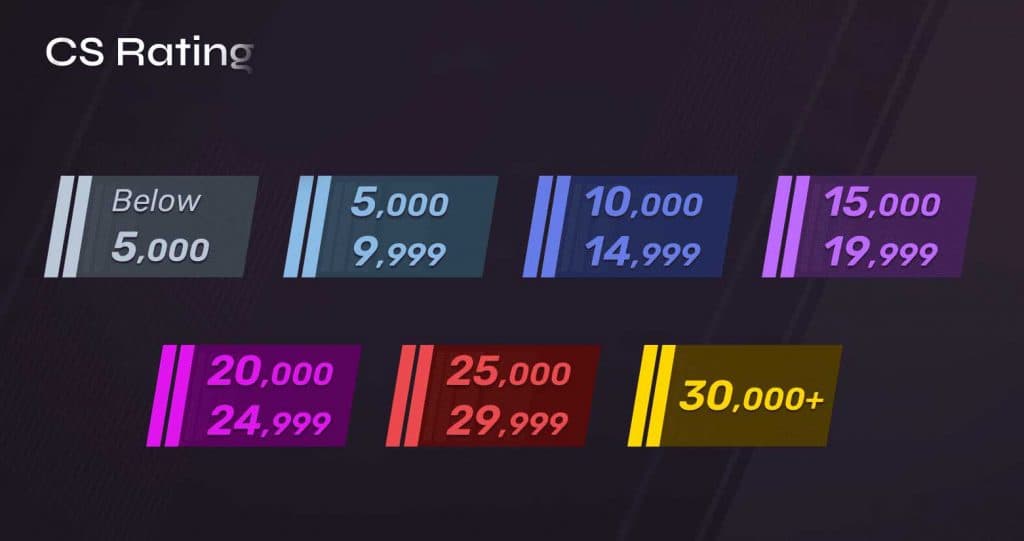
The number inside a color still matters: 10,100 and 14,900 are both blue, yet almost 5,000 points apart. Colors do not convert into Competitive ranks or FACEIT levels, and reaching 15,000 does not give you The Global Elite on any map.
CS Rating has no announced maximum, and the color stops changing at 30,000.
What % Rank means
% Rank tells you which top percentage of Premier players you are in by rating. A value of 12% puts you in the top 12% of players with a CS Rating, with 88% rated below you. That follows from the column’s name; Valve does not describe the formula. The smaller the number, the higher you are.
On the Leaderboards screen, the % Rank column appears only when the Friends board is selected, and in the Your Party panel of the Premier menu. The world and regional boards do not have it.
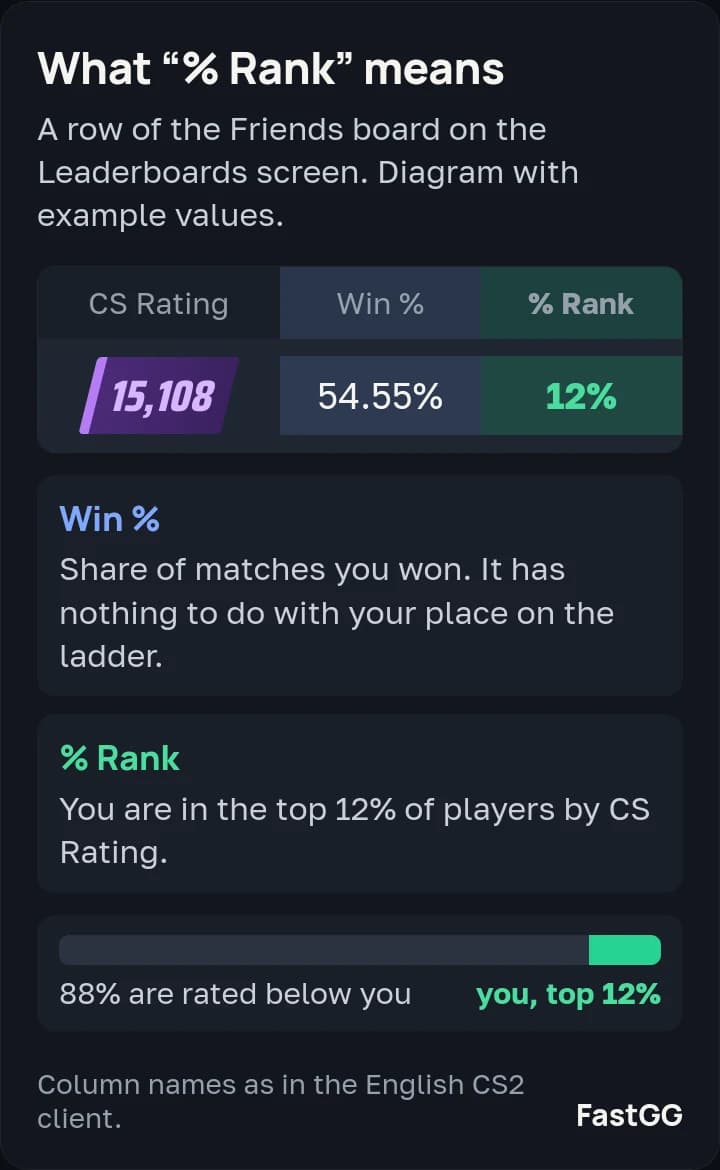
Do not mix it up with the Win % column next to it. That is the share of matches you won, and it has nothing to do with your place on the ladder.
Valve calculates the percentage and sends it to the game along with the leaderboard data. It does not publish how players are spread across the colors. Distribution tables on third-party sites come from users of stats services such as Leetify, and they disagree with each other.
Premier seasons and rating resets
Premier is in Season 5, which started in July 2026. Valve has not announced when it ends. Each new season so far has swapped one map in the pool.
Season | Started | Map pool |
|---|---|---|
1 | September 2023 | CS2 launch; Dust II replaced Overpass in April 2024 |
2 | January 2025 | Train in, Vertigo out |
3 | July 2025 | Overpass in, Anubis out |
4 | January 2026 | Anubis in, Train out |
5 | July 2026 | Cache in, Overpass out |
The Season 5 pool has seven maps: Ancient, Anubis, Cache, Dust II, Inferno, Mirage and Nuke. The latest swap is in the Season 5 release notes.
Valve has announced a recalibration only once, before Season Two. Ratings were recalculated from Season One results, and you had to win 10 matches to see yours again. The notes for Seasons 3, 4 and 5 say nothing about a reset.
A season medal goes to players with 25 Premier wins in the season, a visible rating when it ends and an account in good standing. The medal’s color follows your highest rating of the season, and it gets one bar per 25 wins, up to five. Valve listed these terms in the Season Four announcement, and the Season 5 announcement does not mention any changes.

Map picks, MR12 and overtime
Since the September 22, 2026 update, Premier maps are picked, not banned. Team 1 picks one map, Team 2 picks two, and Team 1 picks one more. The game then plays one of the four at random. The order is in the release notes.
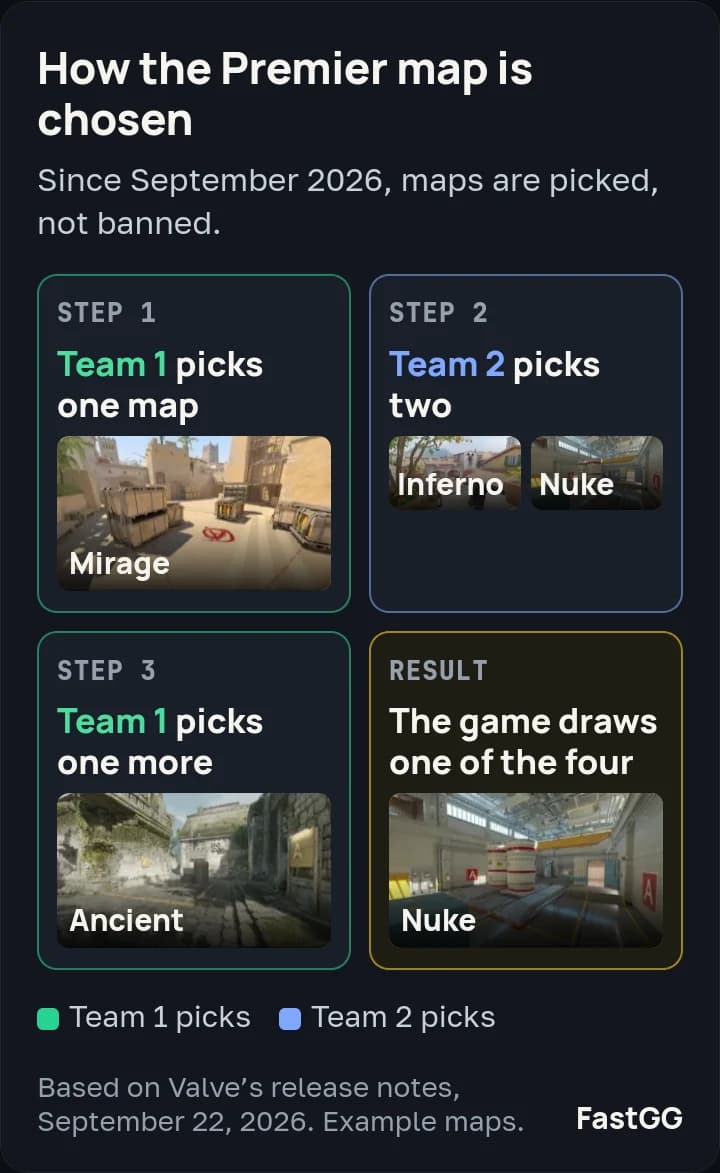
Your team chose two of the four maps, so the odds of playing one of yours are one in two. Valve’s reasoning: if you put time into strategies for a map, you should get to play it more often. You still cannot queue for a single favorite map the way you can in Competitive.
A match goes to 13 round wins, with at most 24 rounds in regulation (MR12). At 12–12, a six-round overtime starts, and the first team to 16 wins. If overtime also ends 15–15, the match is a draw.
How Premier leaderboards work
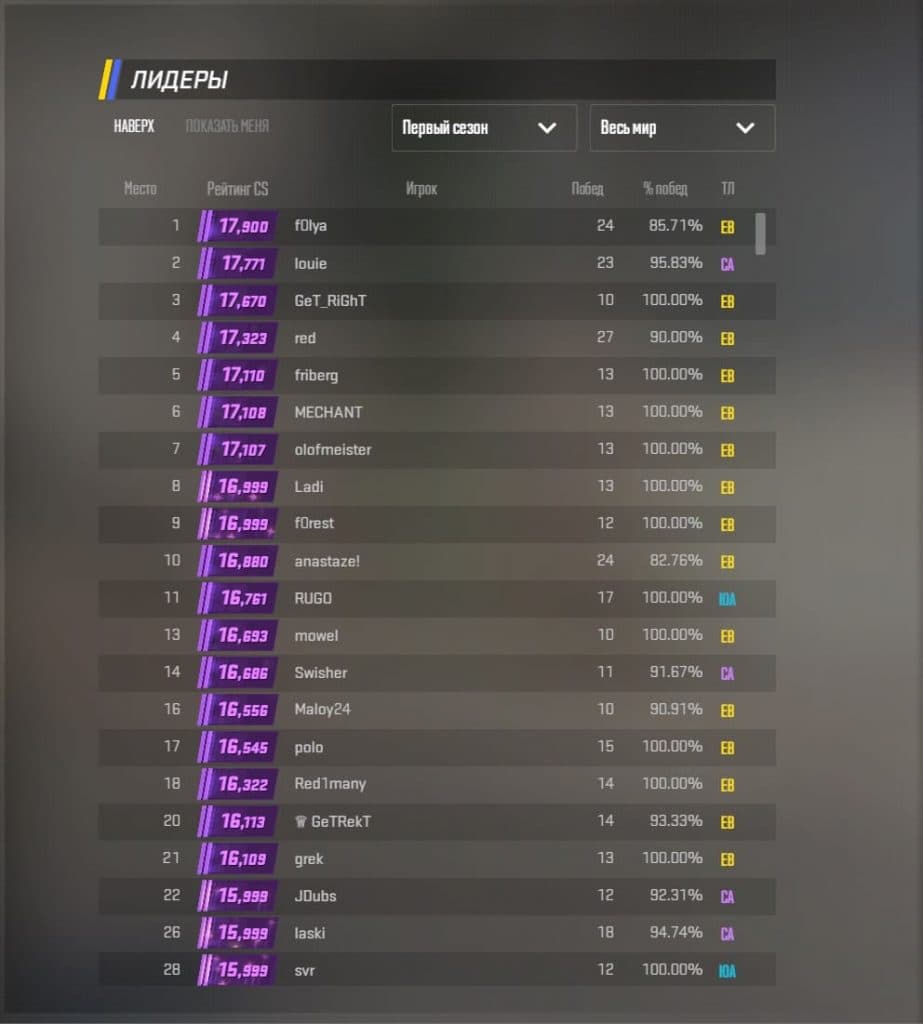
CS2 has nine Premier leaderboards: friends, the world and seven regions (Africa, Asia, Australia, China, Europe, North America and South America). The world board lists the top 1,000 players.
A regional board shows the top 1,000 Prime players in that region. You cannot choose your region: the game uses the servers you play on most often.
To appear on a public board, you submit a leaderboard name. Moderators review it, ads are not allowed, and once approved the name is locked until the season ends. The rules are in Valve’s CS2 leaderboard FAQ.
If you want a higher rating itself, FastGG offers CS2 Premier boosting. Players with 3,000+ FACEIT Elo play your matches by hand, Steam Guard stays on, and the score of every match shows up in your dashboard. A Premier boost will not change your rank on a map, since map ranks belong to Competitive.