
A mute in CS2 can mean that one player has muted you or that your account has a communication penalty. Identify which applies before trying to remove it.
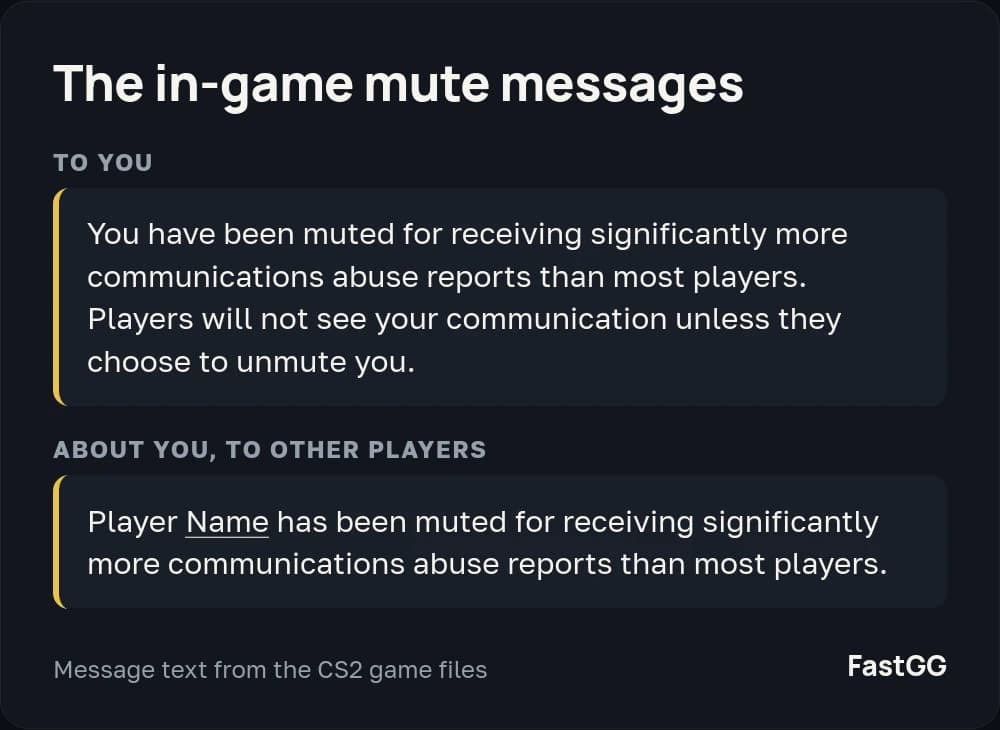
Types of chat restrictions
A player who has muted you can unmute you from the scoreboard. This does not remove an account penalty if you also have one.
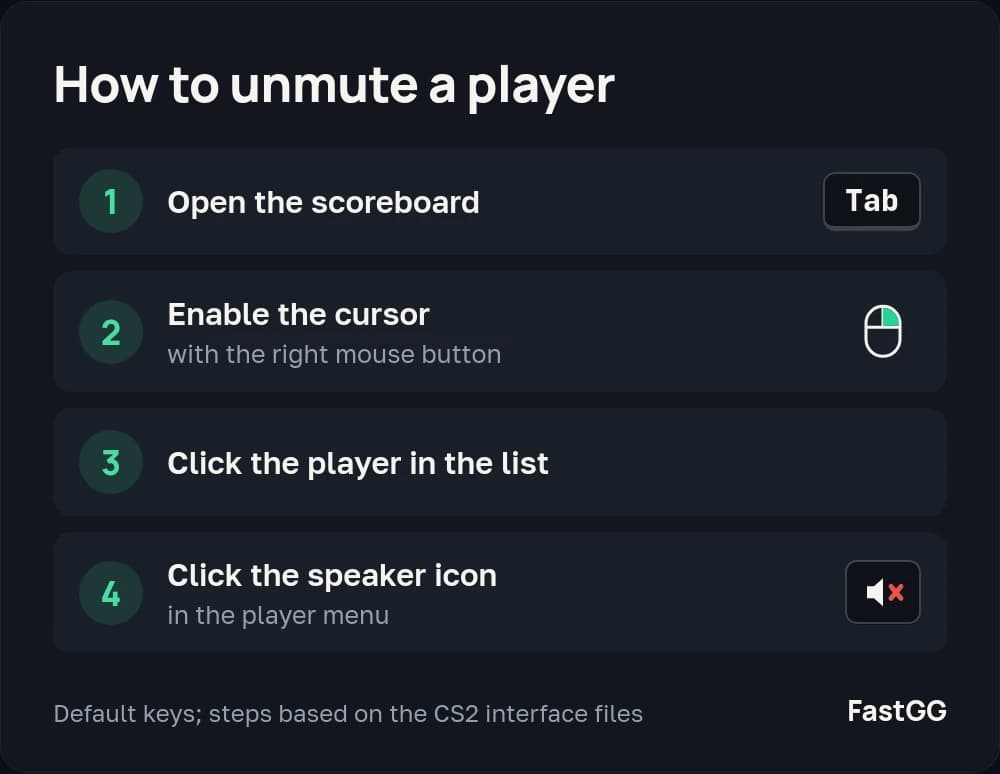
With a communication penalty, other players cannot hear your voice chat or see your text chat by default. Individual players can unmute you from the scoreboard. A Steam Community ban can also restrict communication in CS2.
How to remove a mute caused by reports
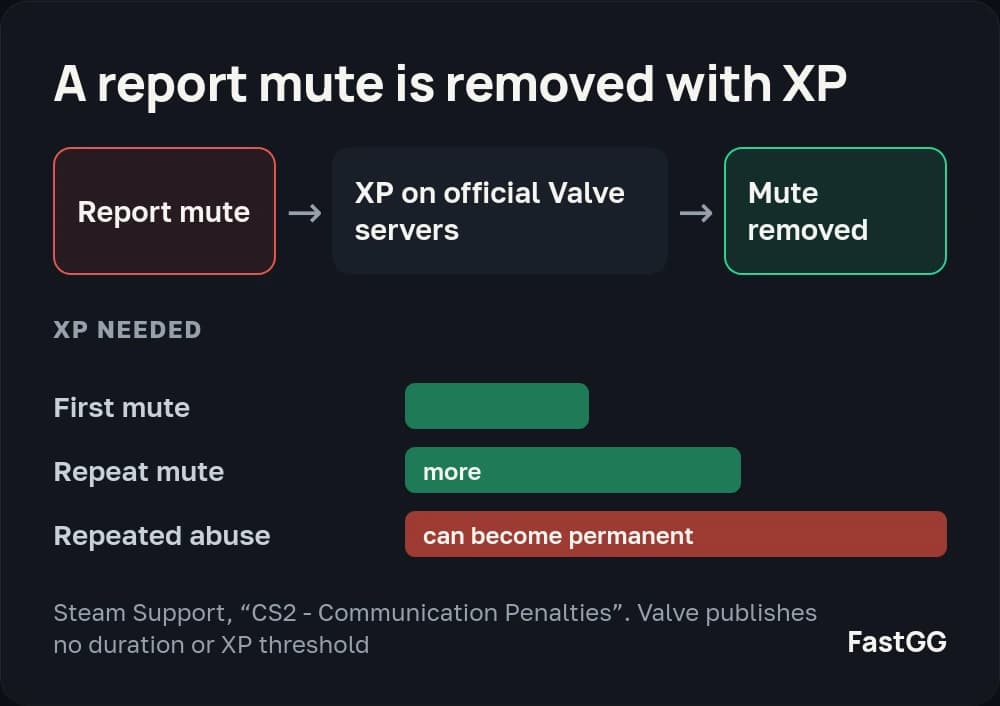
Steam Support says that these penalties are removed by earning XP on official Valve servers. This means in-game XP, not your Steam profile level or simply leaving the game running. A restriction caused by a Steam Community ban ends when that ban expires.
How long does a mute last?
There is no universal duration in days or published XP threshold. A promise to remove a mute in one evening is therefore not a reliable guide. Repeated penalties require more XP, and repeated abuse can result in a permanent mute. Steam Support does not remove these penalties manually.
Commends and Trust Factor
Commends and profile activity help raise Trust Factor. You can order CS2 commends on FastGG. However, do not calculate your unmute date from the number of commends: there is no confirmed formula converting commends into an XP reduction.
If match quality is also a concern, read how to restore Trust Factor. Improving profile trust and removing a chat restriction are different tasks.
To see how your profile looks based on available Steam data, you can check your Trust Factor for free on FastGG. The check does not lift a mute. That still takes XP earned on official Valve servers.