s1mple's crosshair in CS2 is a tiny cyan Static Cross: length 2, thickness 2 and gap 1 in pixels in the new crosshair menu. That is how prosettings.net lists it as of October 3, 2026. m0NESY uses the same shape in white.
As of October 8, 2026, neither player has published a code in the new format. Every code in this article comes from matches before the September 22, 2026 update, and CS2 won't import them, so the way to copy these crosshairs is to set the values by hand. Here are their settings in the new units, according to prosettings.net:
Setting | s1mple | m0NESY |
|---|---|---|
Style | Static Cross | Static Cross |
Length | 2 | 2 |
Thickness | 2 | 2 |
Gap | 1 | 1 |
Color (R, G, B) | cyan: 0, 229, 255 | white: 255, 255, 255 |
Alpha | 255 | 255 |
Outline, Center Dot, T Style | off | off |
Follow Recoil | off | off |
Screen height | 960 | 960 |
Data as of | October 3, 2026 | October 7, 2026 |
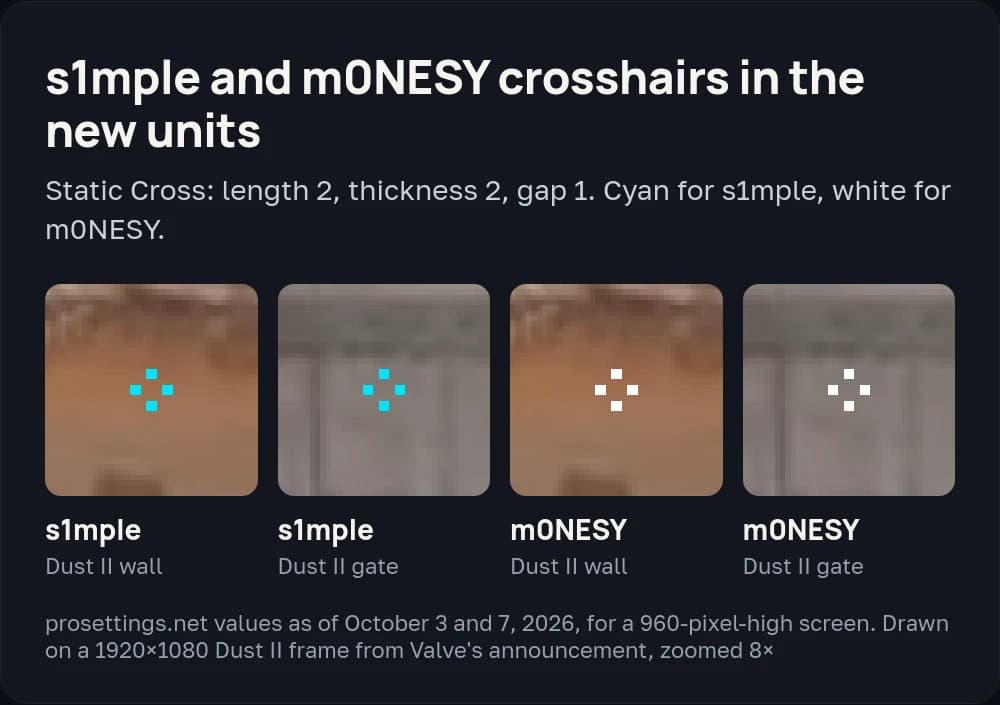
The values in the table are pixels on a 960-pixel-high screen: both players use 1280×960 stretched. At 1920×1080, enter the same numbers; the difference is under a pixel. At 2560×1440 the same numbers give a crosshair about a third smaller, so multiply length and thickness by 1.5 to match s1mple.
s1mple crosshair settings and previous codes
s1mple plays for BC.Game. His latest match with a code in the totalcsgo.com crosshair history is BC.Game vs paiN on May 21, 2026. It shows the same style, a Static Cross, with the cyan color preset.
s1mple uses a Logitech G Pro X Superlight 2 at 400 DPI and 3.09 sensitivity (eDPI 1236), according to prosettings.net as of October 3, 2026.
s1mple's previous codes
CSGO-UseJt-3oTvn-47wPX-hEyER-WZfiK, May 21, 2026, BC.Game vs paiN. His last code from a match before the update.CSGO-m58cB-AyBDC-AV6tp-Gwq2K-QGKeB, June 20, 2025, FaZe vs The MongolZ. This is s1mple's dynamic crosshair: the Legacy style with a center dot. He switched to a Static Cross between February and May 2026.CSGO-W56SW-kmCoL-UxUXd-Eqzdw-hOxoOandCSGO-Gj9ry-3QQF3-T78kK-onMAf-6DR7B, from the August 4, 2024 version of this article. Neither appears in s1mple's match history on totalcsgo.
m0NESY crosshair settings and previous codes
m0NESY plays for Falcons. According to prosettings.net as of October 7, 2026, his crosshair is a white Static Cross with the same length, thickness and gap as s1mple's. In his last match before the update, on September 5, it was cyan.
m0NESY changes codes often. Across 50 maps from May 2025 to September 2026 he used 23 different codes, yet the shape barely moves. 17 of the 23 codes draw the same cross, and only the color changes: usually cyan, sometimes green, yellow or white.
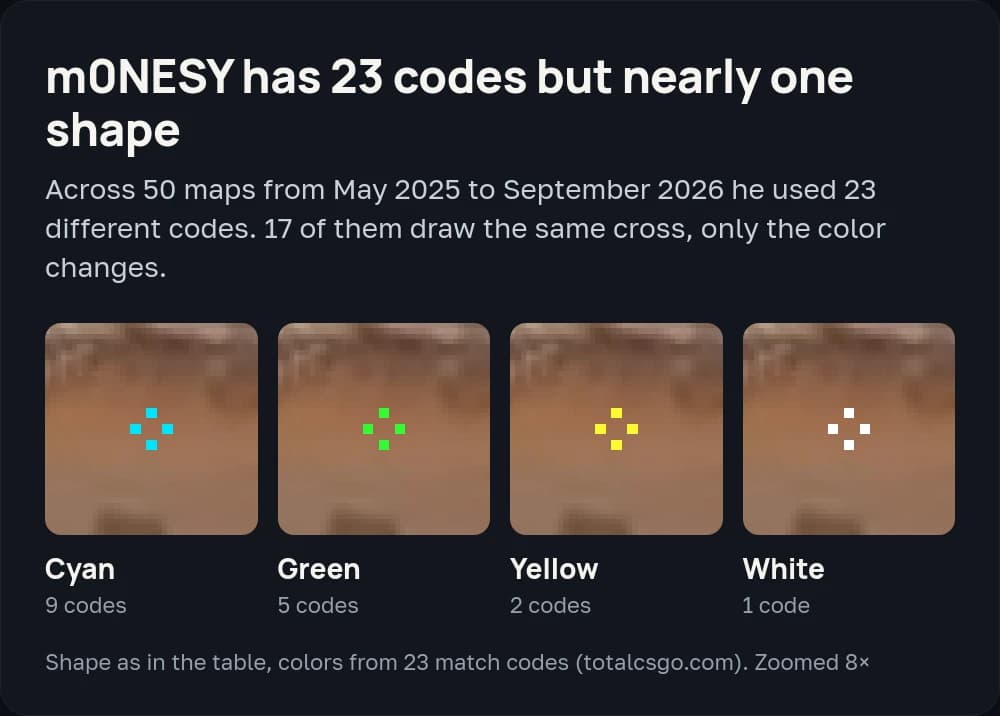
So color is the least stable value in the table. Copy length, thickness and gap as they are and pick the color you like.
m0NESY uses a Logitech G Pro X Superlight 2 at 400 DPI and 2.3 sensitivity (eDPI 920) on 1280×960 stretched.
m0NESY's previous codes
CSGO-rhGN2-7Zucb-LSBc6-ksfxq-4n5VH, September 5, 2026, Spirit vs Falcons. His last code from a match before the update.CSGO-s5Qbj-nvF89-cJjDd-mRdSG-5Yt4N, listed in this article since 2024. m0NESY played it in matches from September 14 to November 12, 2025. Some sites credit it to s1mple, but it does not appear in s1mple's match history.CSGO-PBAmf-cBT6C-CzWBZ-8JbQi-ZbJaA, from the list in the August 4, 2024 version of this article.
How to build the crosshair from the table
- Open Settings and go to the Crosshair / Scopes tab. It became a separate tab with the September 22, 2026 update.
- Set Style to Static Cross.
- Enter Length, Thickness and Gap from the table.
- Under Color and Transparency, enter R, G, B and alpha 255.
- Turn off Outline, Center Dot, T Style and Follow Recoil.
To save the result as a code, click Share or Import in the bottom-right corner of the crosshair preview and copy the code.
How to import a crosshair code in CS2
- Open the Crosshair / Scopes tab in Settings.
- Click Share or Import in the bottom-right corner of the crosshair preview.
- Paste the code and click Import.
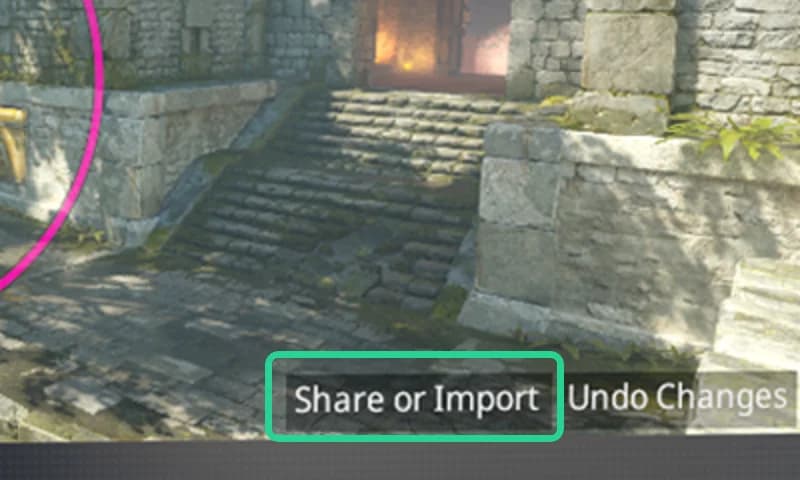
Since the September 30, 2026 update, codes start with CS and have no dashes. For codes from matches before the September 22 update, CS2 shows "Invalid or old crosshair code". Third-party converters can translate them only approximately, because old codes do not store the screen resolution.
You can also copy the crosshair of anyone in your match from the scoreboard: click their name and choose Copy Crosshair.
CS2 pro players' crosshairs
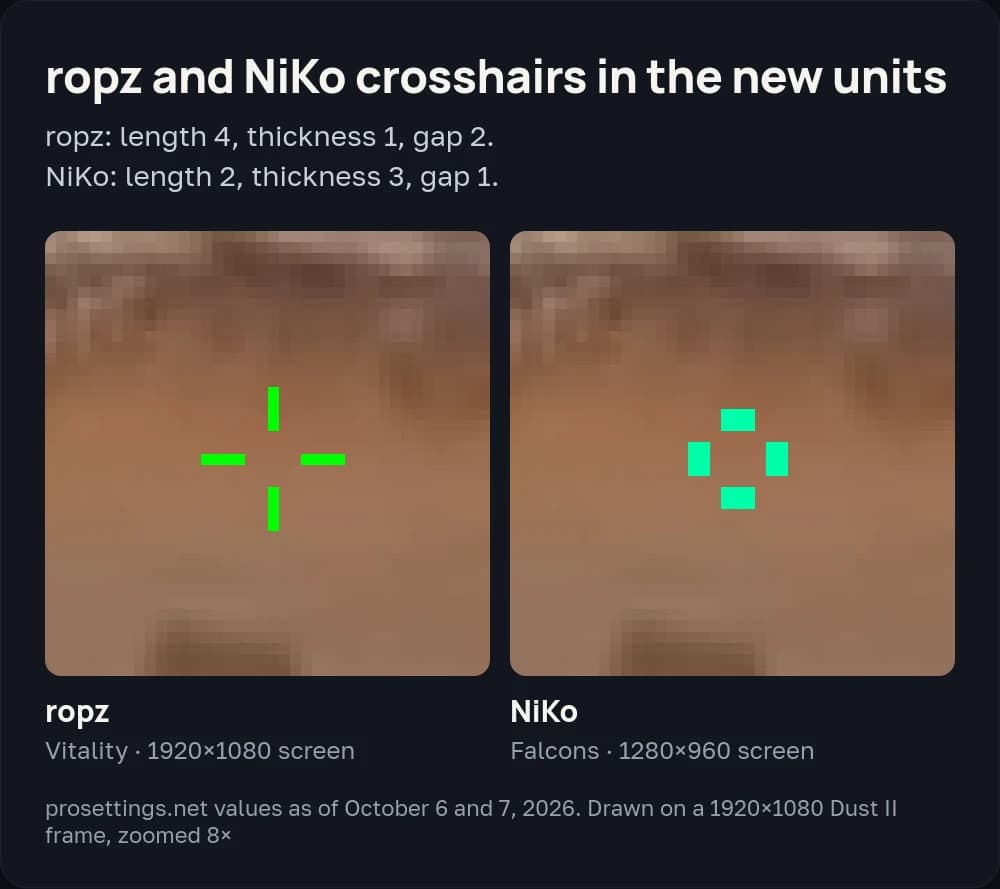
ropz and NiKo have no new-format codes either. Below are their settings from prosettings.net and their last codes from matches before the update.
ropz crosshair
ropz plays for Vitality. His crosshair is a green Static Cross: length 4, thickness 1, gap 2, color 0, 255, 0, on a 1920×1080 screen (prosettings.net, October 6, 2026). He uses a Razer DeathAdder V3 HyperSpeed at 400 DPI and 1.77 sensitivity.
His last code from a match before the update is CSGO-nCfX7-54ue9-aC5eV-6Womf-Q6izO, played on August 21 and September 20, 2026. The code from the earlier version of this article, CSGO-MMQuh-Hs3Sj-Qv9zd-VaCmc-3QqNO, is the one ropz played from May 2024 to March 2025.
NiKo crosshair
NiKo plays for Falcons alongside m0NESY. His crosshair is a mint Static Cross: length 2, thickness 3, gap 1, color 0, 255, 169, on 1280×960 (prosettings.net, October 7, 2026). He uses a Razer Viper V4 Pro at 800 DPI and 0.815 sensitivity.
NiKo changes his crosshair often: eight different codes over his last ten maps before the update. The last one is CSGO-vhjbH-yLYcD-bvXQo-aswEA-8P6ZJ, September 5, 2026, Spirit vs Falcons. The 2024 codes from this article were CSGO-OFKZZ-mZp9n-KXx4x-2SmEp-jcYHK and CSGO-Ox4av-Gp7as-jKoZH-jFua9-WsdqA. Neither appears in his match history on totalcsgo.
Pro crosshair codes from 2024
This list has been in the article since August 4, 2024. Every code in this article comes from matches before the September 22, 2026 update, and CS2 won't import them. The list gave b1t and ZywOo the same code, and we could not confirm whose it is.
Player | 2024 code |
|---|---|
ropz |
|
m0NESY |
|
apEX |
|
huNter |
|
EliGE |
|
Aleksib |
|
cadian |
|
NiKo |
|
Keoz |
|
blameF |
|
Jame |
|
sh1ro |
|
drop |
|
HooXi |
|
frozen |
|
rain |
|
dev1ce |
|
FalleN |
|
YEKINDAR |
|
broky |
|
Ax1Le |
|
b1t |
|
KSCERATO |
|
saffee |
|
s1mple |
|
stavn |
|
ZywOo |
|
iM |
|
jks |
|
How to set up your own crosshair
You build your own crosshair in the same tab. Since the September 22–23 updates, length, thickness and gap are in pixels: thickness 1 is a one-pixel line. When you change resolution, CS2 rescales the crosshair. For example, thickness 2 set at 1280×720 becomes thickness 4 at 2560×1440.
Static or dynamic
The menu has 10 styles. Static ones (Static Cross, Static Circle, Static Square, Static Quadrant and Dot Only) stay the same while you move and shoot. Dynamic ones spread out and show your weapon's real spread and inaccuracy. The default is now Dynamic Quadrant. s1mple, m0NESY, ropz and NiKo all use a Static Cross.
Follow Recoil moves the crosshair away from the center of the screen to follow your weapon's recoil. All four players in this article keep it off. The outline can be full or drawn only on the top and left, and since September 30 it has its own color.
Steam Workshop crosshair map
The easiest place to try crosshairs is crashz' Crosshair Generator v4. You change settings and see the crosshair on different backgrounds right away, pick a preset from a list of pros and test it against bots. The author added the new styles on September 29 and October 3, 2026.
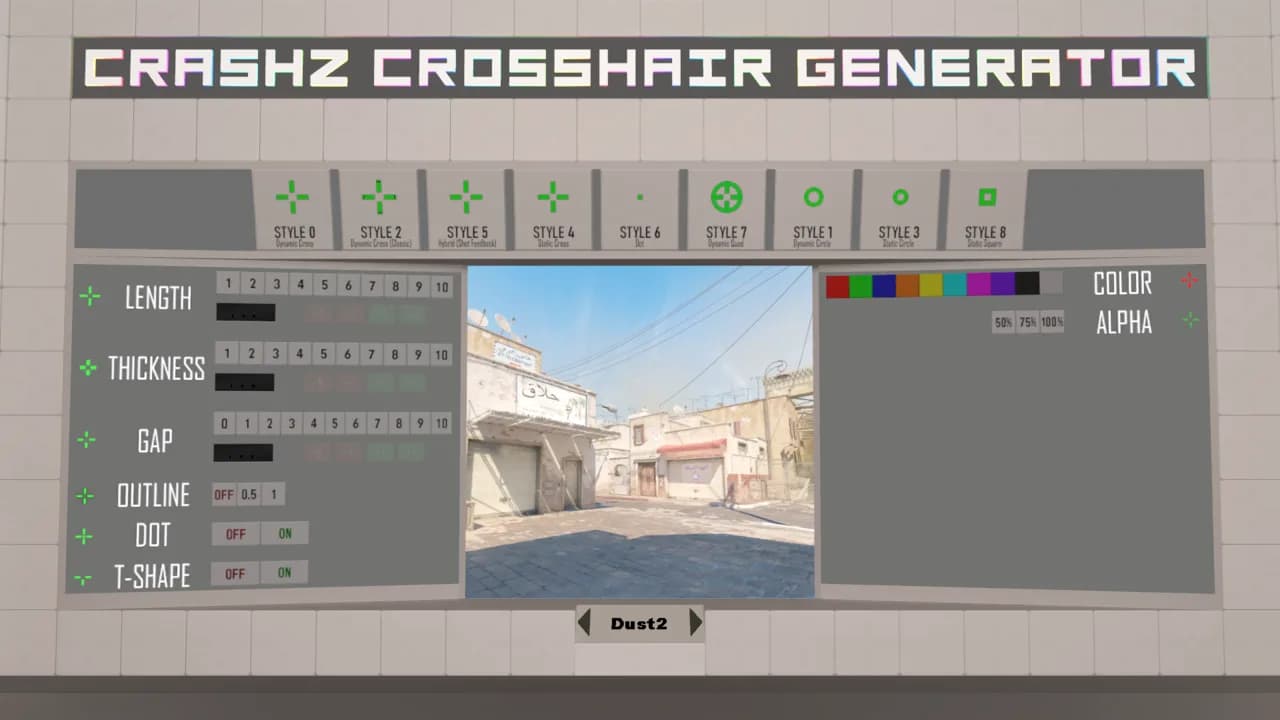
If the map does not apply your settings, add -disable_workshop_command_filtering to the CS2 launch options, as the author suggests in the change notes.