

Estanee Estanee
Borrowed the recruitment of likes, everything is great! All the likes came, recommend!
Source of Review

days day
hours hour
minutes minute
seconds second







Calibration in CS2 is designed to be extremely simple and transparent. Here's how it works:
Our performer will then log into your account and calibrate your rank with a series of wins.
Average calibration rating:
We guarantee accurate and reliable calibration so you can enjoy your game at the level you want. If you have any questions, our support team is always ready to help!
We understand the importance of your account security and offer the following guarantees:
Without disabling Steam Guard: Boosting your CS2 account will not require you to disable Steam Guard protection, ensuring your account is completely safe.
Family Preview on Steam: You can enable the "Family Preview" feature in Steam, which will limit the functionality of your booster account, leaving the ability to only run the game of your choice.
Professional playersWe work only with professional players who have signed contracts with us and provided their passport data. This guarantees the reliability and responsibility of our performers.
These measures maximize the security of your account and allow you to use our boost services with peace of mind. If you have any questions, our support team is always ready to help!
When it comes to Boost services, we confidently state that our services are the best in the market. Here's why:
High quality services: We offer a variety of options to boost your CS2 account to meet your every need.
Proven performers: Our performers are professional and proven players who have signed contracts with us and are ready to start boosting within 10 minutes after placing an order.
Quick start of work: You can rest assured that once you place your order, the process will begin as quickly as possible, ensuring minimal delays and high efficiency.
When you choose us, you get reliable and professional boosting services that will get you the results you want. Contact us and start boosting your ranking today!
We are always happy to help and answer any questions you may have! You can contact us in several convenient ways:
For additional information and contact details, visit our "Contact Us" section. ContactsWe aim to provide quality support and consultation for all our clients.
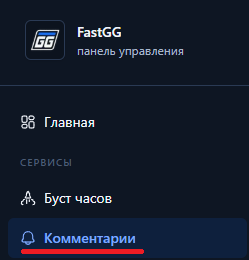
Welcome! Please follow the simple steps to place an order for comment baiting in Steam.
Заходим в панель управления(кликабельный текст) и регистрируемся или логинимся (если ранее создавали аккаунт).
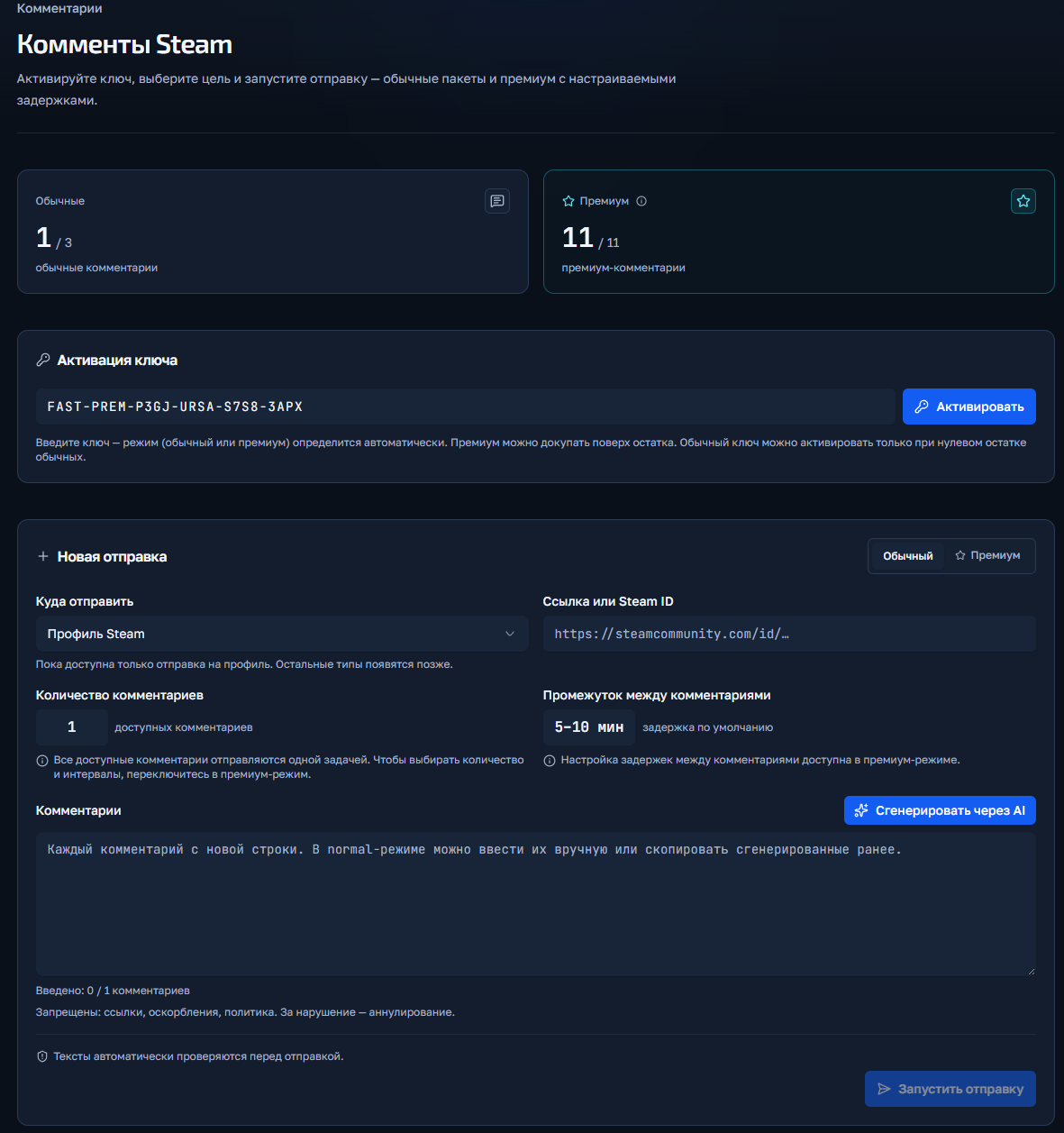
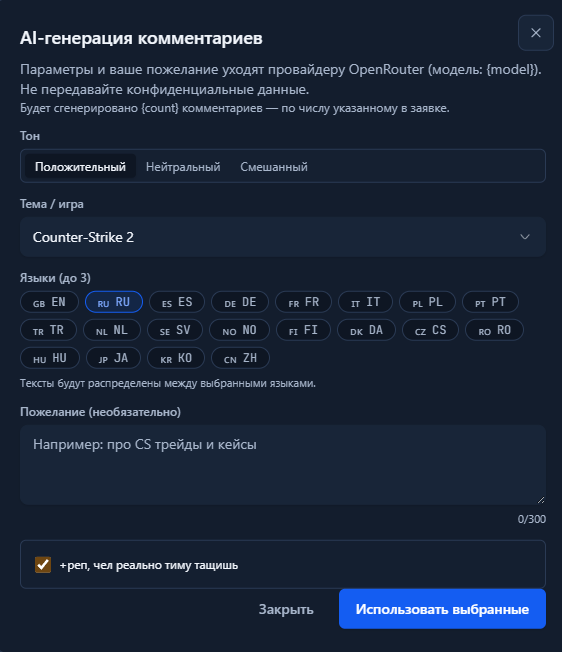
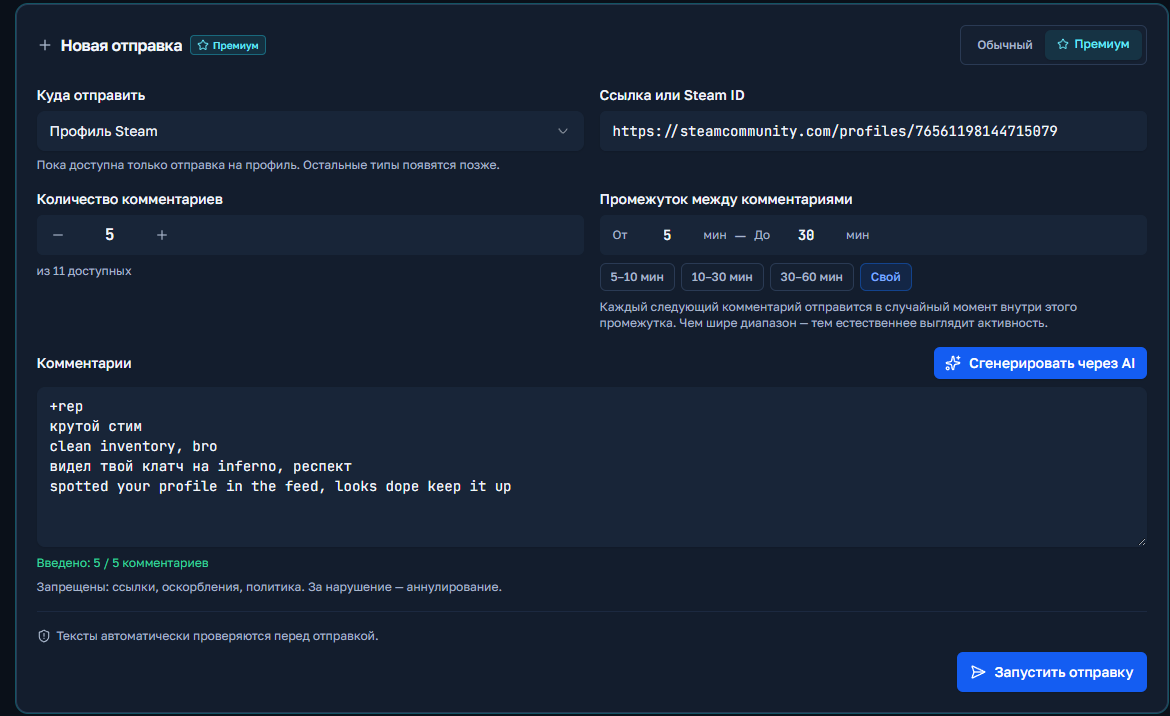
Нажимаете кнопку "Запустить отправку" и если нет никаких ошибок, то заказ запустится и отобразится ниже в поле "История отправок".
Welcome! Please follow the simple steps to place an order for a Boost in CS2 or Valorant.
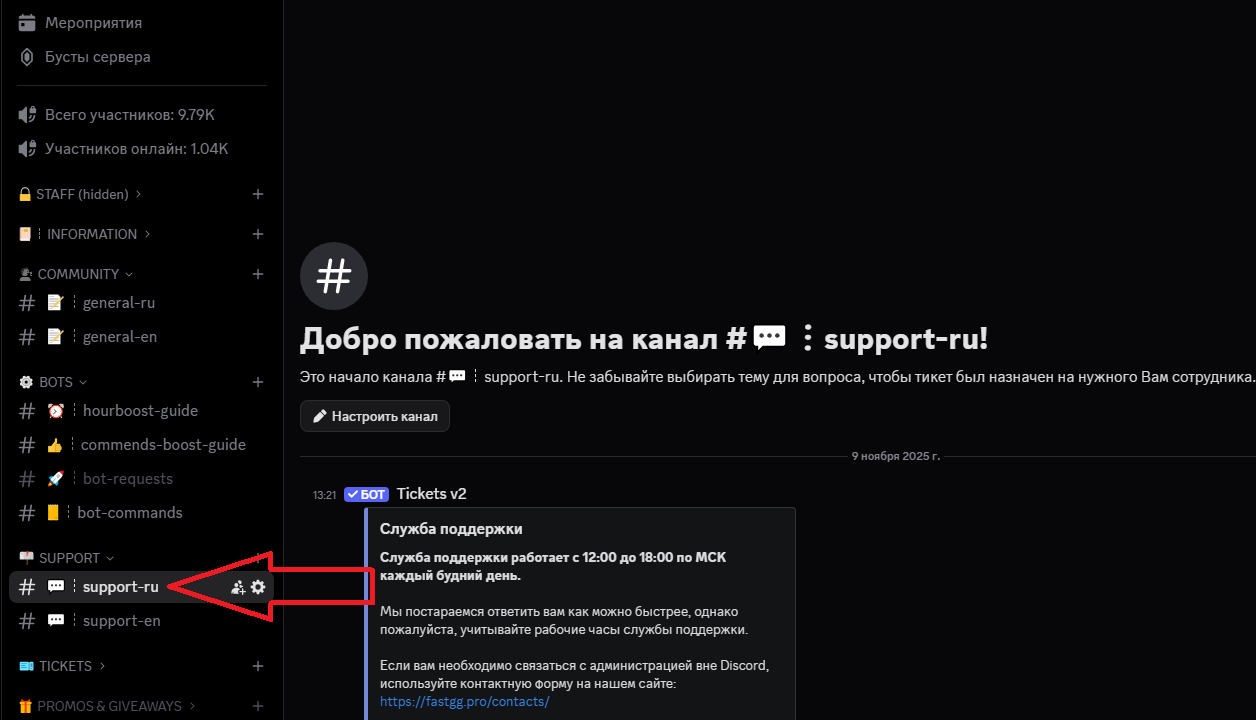
Go to our official Discord server
Find a channel on the server called "#Support-ru or support-en".
In this channel, open a request (ticket) to add an order by selecting the "Boost Rank/Valorant" section.
In the created application form, fill in all necessary data that is requested for ordering (e.g. order no., etc...).
We will quickly process your request and add your order! 😉
Welcome! Please follow the simple steps to activate your key and start Steam cashback
After successful payment, you will receive an electronic check to the email address you provided.
The check will contain:
Go to the panel to control the clock boost and activate the key.
1) Going to the website - https://panel.fastgg.pro/ and register (click "sign in via Google or "Register").
2) Select the "Boost Hours" section (or from the link - https://panel.fastgg.pro/dashboard/hourboost) and in the "Activate key" field insert the key contained in the order receipt.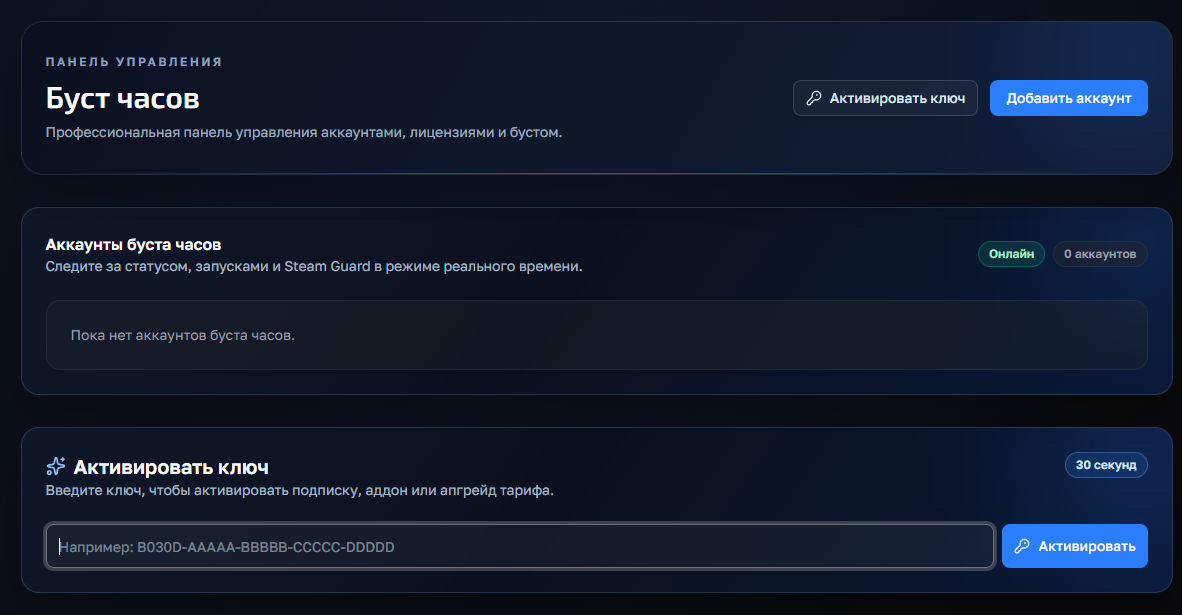
3) Click the "Add Account" button and enter your Stim Login and Password.
4) Now click on the "customize" button, inside you can enter the status (if the tariff allows) and be sure to add games to run (you can enter the names or id of the games).
5) All, click "save" and you can turn on the nakrutka button "Start", further intuitivino site will prompt when you need to enter the code to enter (from mail or on your phone), or will give an error, if there is one.
If you have any problems or questions, we recommend that you pay attention:
1. FAQ section with answers to questions - https://panel.fastgg.pro/dashboard/faq
2. Support/Ticketing system for dialog with support - https://panel.fastgg.pro/dashboard/tickets
Добро пожаловать! Пожалуйста, следуйте простым шагам, чтобы оформить заказ на накрутку лайков в CS2.
Заходим в панель управления(кликабельный текст) и регистрируемся или логинимся (если ранее создавали аккаунт).
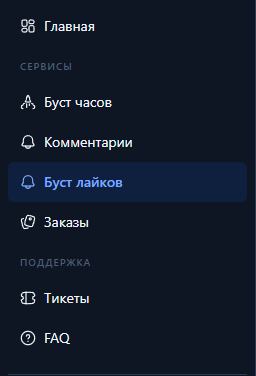
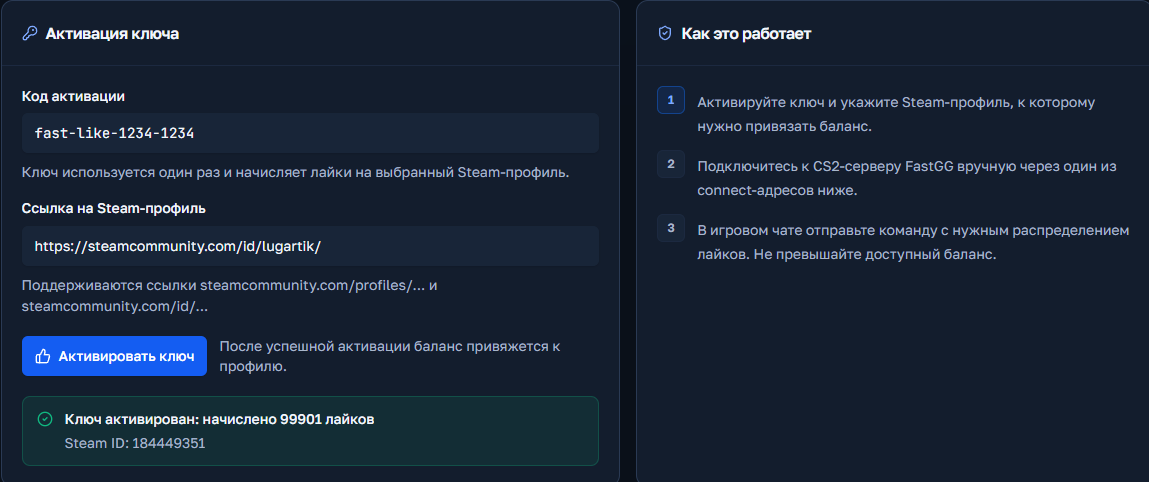
Ниже у Вас есть раздел "Команды сервера" оттуда можно скопировать адрес подключения к серверу (вставляем в консоль) и команды для запуска лайков (вставляем или пишем вручную в чат игры)
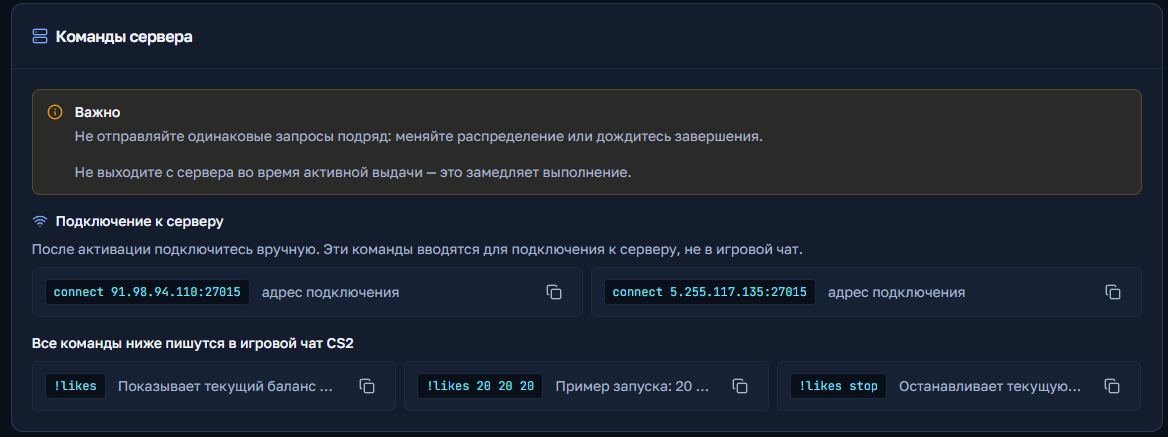
Причина только одна - НЕЛЬЗЯ находиться на сервере в игре при зачислении лайков
Копируйте команду из инструкции или пишите ее вручную, команда вставляется в чат игры, а не консоль!
Если у Вас не получается, значит на каком-то этапе, Вы все же делаете неправильно.
На сервере лайков уже было потрачено больше 2 миллионов лайков и это порядка 45000 + пользователей, каждый из них подключался по этой же инструкции.
В панели-управления FASTGG откройте раздел тикеты и напишите свое обращение, прикрепив всю необходимую информацию