

0 0

Корзина

No products in the cart.

Continue shopping

Upgrade your Steam profile

Comments for your Steam profile

Get live comments from real players from quality accounts.

00

days day

00

hours hour

00

minutes minute

00

seconds second

Upgrade your Steam account

Select the rate with the desired number of comments
Comments without bots
Get dozens of comments from real players!
main img 250 | FastGG - Boost game accounts CS2, Valorant, Dota 2

Summer Boost-Fest

00

Days Days

00

Hours hour

00

Minutes minute

00

Seconds second

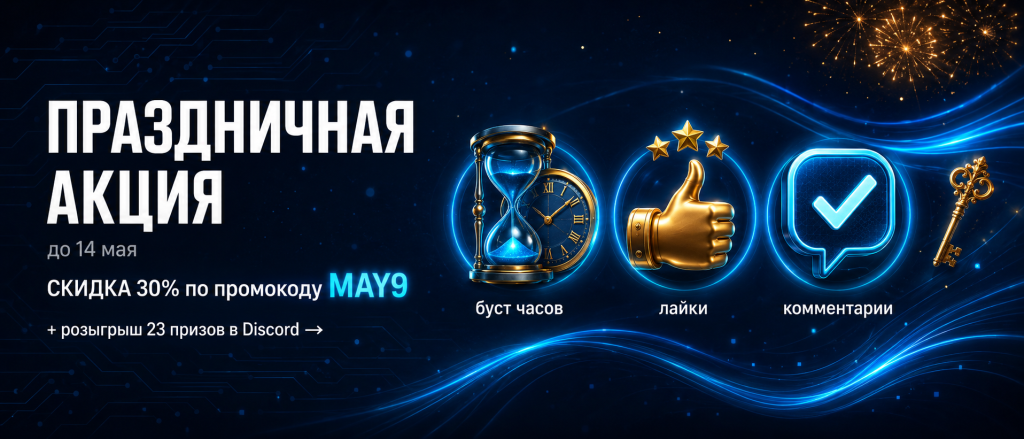
Promo code: BOOST25

Выберите тип комментариев

Boost Steam comments

Реальные аккаунты · Отправка в любое время

Mini
Mini

Mini

5 Comments

₽89
  • Реальные аккаунты
  • Текст на ваш выбор
  • Генерация через ИИ
  • Запуск через панель
  • Слегка повышает TF
  • Гибкий интервал отправки
  • Запуск партиями
Starter
Starter

Starter

15 комментариев

₽189
  • Реальные аккаунты
  • Текст на ваш выбор
  • Генерация через ИИ
  • Запуск через панель
  • Немного повышает TF
  • Гибкий интервал отправки
  • Запуск партиями
Pro
Pro

Pro

50 Comments

₽549
  • Реальные аккаунты
  • Текст на ваш выбор
  • Генерация через ИИ
  • Запуск через панель
  • MAX повышает TF
  • Гибкий интервал отправки
  • Запуск партиями
Max
Max

Max

100 комментариев

₽949
  • Реальные аккаунты
  • Текст на ваш выбор
  • Генерация через ИИ
  • Запуск через панель
  • MAX повышает TF
  • Гибкий интервал отправки
  • Запуск партиями

Комбо — всё в одном

Буст часов + комментарии + бонусы со скидкой

SILVER COMBO
Silver Combo

Silver Combo

Комбо услуга с 15% скидкой от обычной цены

Первоначальная цена составляла ₽686.Текущая цена: ₽584.
  • Буст часов 30 дней — тариф Base
  • 15 комментариев Steam
  • 200 похвал в CS2
  • 5 проверок Trust Factor
DIAMOND COMBO
Diamond Combo

Diamond Combo

Комбо услуга с 30% скидкой от обычной цены

Первоначальная цена составляла ₽4233.Текущая цена: ₽2963.
  • Буст часов 365 дней — тариф Plus
  • 50 комментариев Steam PREM
  • 1600 похвал в CS2
  • 50 проверок Trust Factor

How does it work?

Steps before you start sending comments

1. Select a tariff

Select the rate with the desired number of comments you want to receive on your Steam profile.

2. place an order

Enter your email at checkout to receive a payment check to get the work started.

3. Fill in the data

Provide a link to your Steam profile and choose which comments you'd like to receive, or post your choices.

Reviews from our Clients

We do everything possible to provide our clients with the best service.
Avatar for the review

Alexey Beer

Rating
The comments spooled up in a couple hours, satisfied =)

Source of Review

trust index logo
Feedback avatar

Monster Energy

Rating
Saipex helped to quickly upgrade Immortal, very tough man, I want to learn to play like that as well

Source of Review

VK logo
2 | FastGG - Boost game accounts CS2, Valorant, Dota 2

Max Nemnov

Rating
Love, kisses - pasikki for the quality services!!! <3

Source of Review

VK logo
Avatar for the review

Matvey Ivanushkin

Rating
I used this service for the 1st time, I thought it was a scam But it wasn't, the work was done qualitatively, and most importantly took only 15 minutes and ouala and beauty, which is not to admire).

Source of Review

VK logo
Avatar for the review

Kirill Grubinka

Rating
Not the first time I use this service, and as always, the work is done perfectly. I advise everyone. And even if you are thinking about whether or not to take it - take it, you won't regret it.

Source of Review

VK logo
Feedback avatar

EloBoss

Rating
fast and cheap boost

Source of Review

trust index logo
Avatar for the review

Sasha

Rating
Boost commends worked well, I want a review bonus =)

Source of Review

trust index logo
Avatar for the review

Yuri Opiumov

Rating
Thank you so much for your boost! The boost is now over! I am very pleased. You are working and answering questions every 30 minutes max and it's very satisfying! I have already recommended you to all my friends! 😀😀. ORDERED BUST FROM NEW 2 to CALACHE. VERY FAST WORK OF THE STAFF!

Source of Review

VK logo

The best solutions in industry

FastGG sets new standards in gaming services.
Cooperate with pro players CS2, Valorant, dota2 and others
Boost from PRO 
Leave the boost to the professionals - we only employ the best players
kartochka bezopasnost min 800 600 | FastGG - Boost game accounts CS2, Valorant, Dota 2
Anonymity
Your anonymity is our main concern! The entire boost is conducted in "offline" mode
kartochka skorost min 800 600 | FastGG - Boost game accounts CS2, Valorant, Dota 2
Quick Start
We are ready to start working with your order as soon as 10 minutes after placing your order
sposoby oplaty min 1 1024 1024 1024 | FastGG - Boost game accounts CS2, Valorant, Dota 2
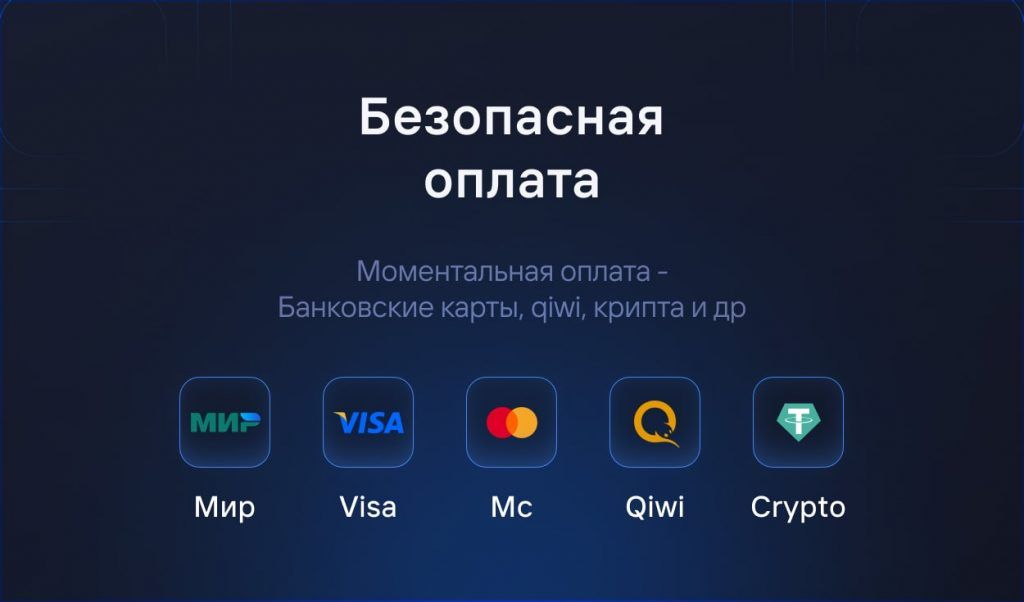
Secure payment
We value your privacy: pay securely and anonymously

We Answer Your Questions

Do you have any questions? Write to us in the online chat or contact us via Discord
Our support team will be happy to assist you 🙂

To receive comments on your profile, simply open the wall in the privacy settings and choose, what kind of comments you want to see.

We offer ready-made sets of unique comments in Russian and English - positive, playful, thematic. You can also self-publish, and we'll post exactly the comments you want.

Buying comments to your profile, carries 2 positive effects

  1. You noticeably improve your trust factor / trust level of your x2 account, due to the fact that all comments are sent from real active accounts of other players, not just bots of nothing

  2. It also noticeably pumps up your profile and gives you real weight 🙂

No, it's impossible because we send all comments from real accounts - it's not forbidden.


We are always happy to help and answer any of your questions! You can always write to us in online chat, on Discord channel or call us during working hours. Contacts section

Live Support

Do you need help?

Our managers are always happy to help you, just write to us 🙂 🙂
Do you need help?
We're here to help - email us!
"Counter-Strike 2" and "Dota 2" are registered trademarks owned by Valve Corporation. "Valorant" is a registered trademark owned by Riot Games. Our company (or "We", based on the context) has no official relationship with, and is not affiliated, associated or endorsed by, Valve Corporation or Riot Games. All rights to trademarks belong to their rightful owners.

© FastGG - IP Keith K. A. - INN 781436538007 - OGRNIP 325470400124048

Steam Comments Rollup Instructions

Welcome! Please follow the simple steps to place an order for comment baiting in Steam.

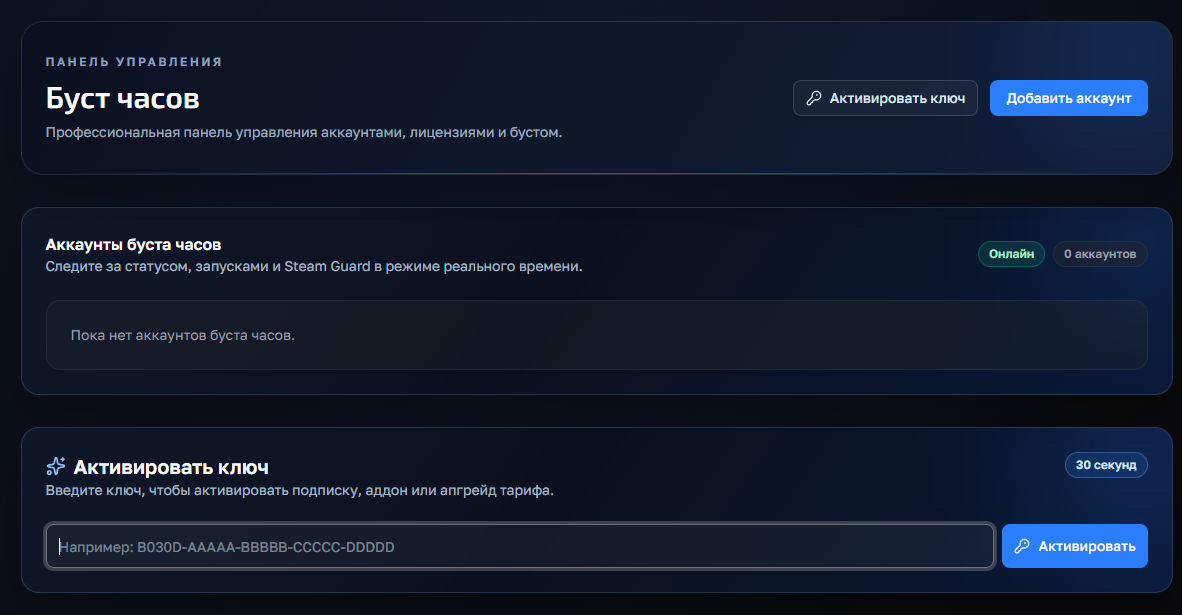
Шаг 1: Переход в FastGG Панель управления

Заходим в панель управления(кликабельный текст) и регистрируемся или логинимся (если ранее создавали аккаунт).

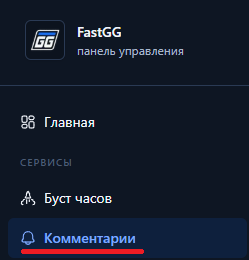
Шаг 2: Переходим в раздел накрутки комментариев

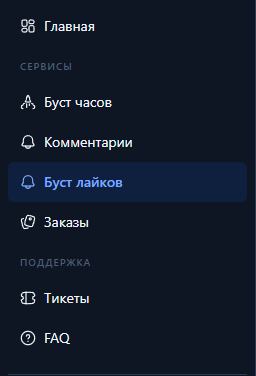
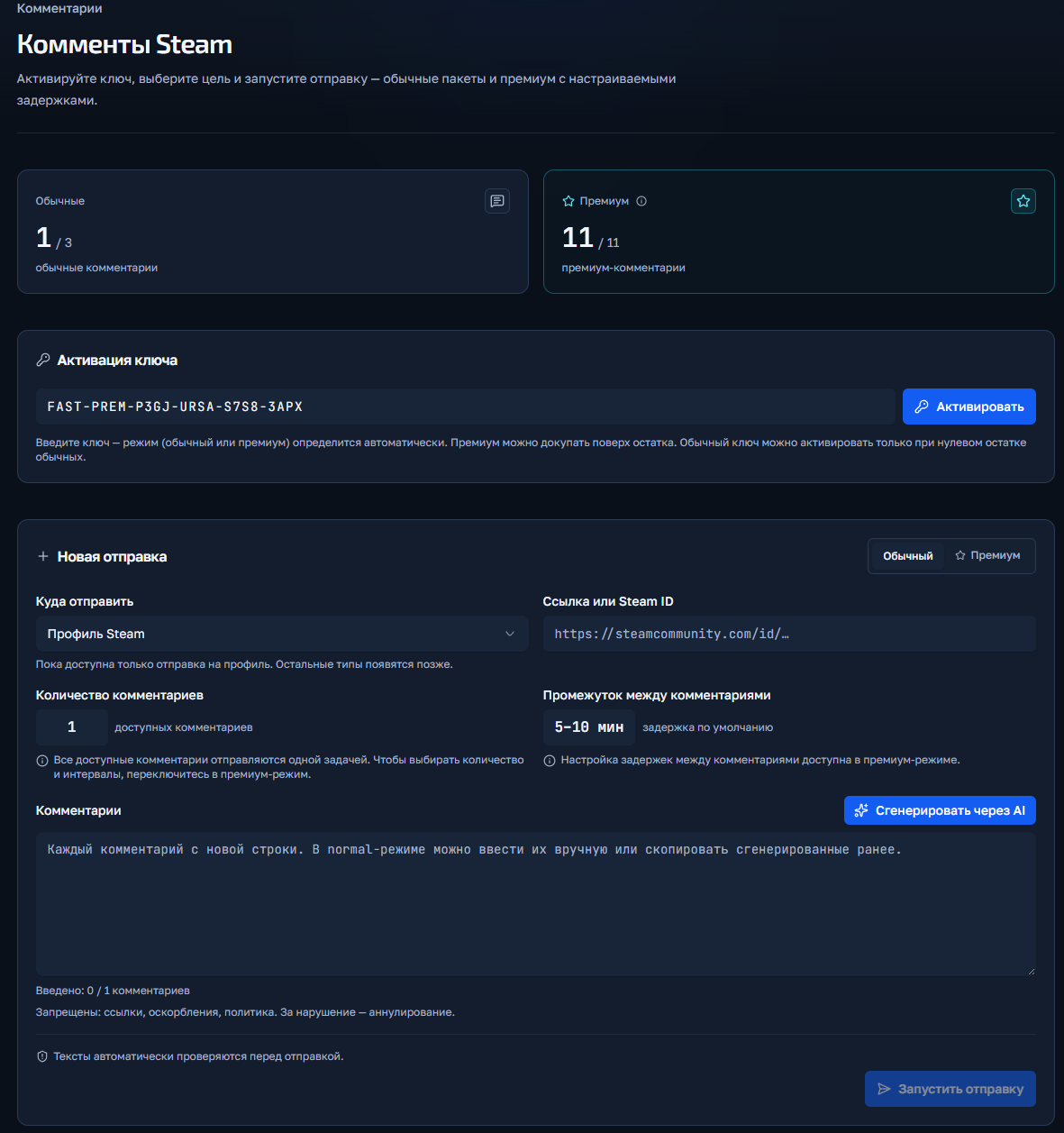
Раздел комментарии в панели управления

Шаг 3: Активируем ключ заказа
  1. После оплаты перед Вами будет чек с товаром и инструкцией (так же он дублируется на почту указанную при оплате), листаем в самый низ до раздела "Ваш(и) лицензионный(ые) ключ(и):" и копируем нужный ключ.
  2. Активируем ключ в поле "Активация ключа"

Активация ключа в панели управления

Шаг 4: Запуск заказа
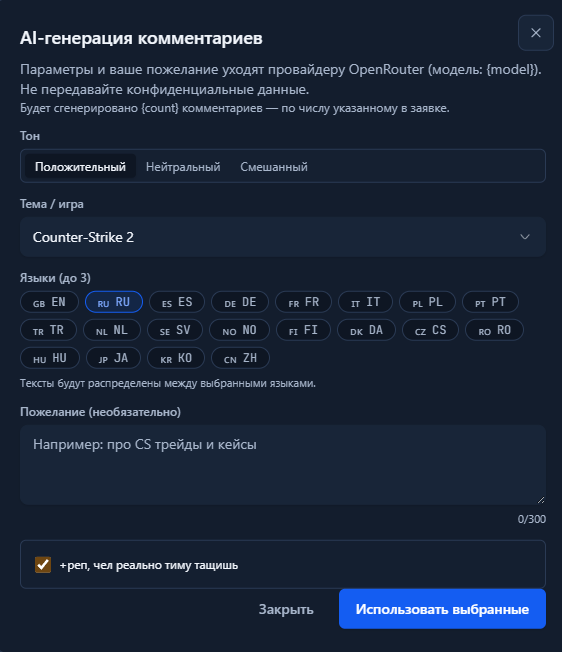
  1. Если у Вас куплены "Обычные комментарии", то на вкладке "обычный" Вы заполняете ссылку на профиль и указываете комментарии (либ оиспользуете кнопку генерации) и запускаете их. В обычных комментариях нет выбора количестве или времени отправки.
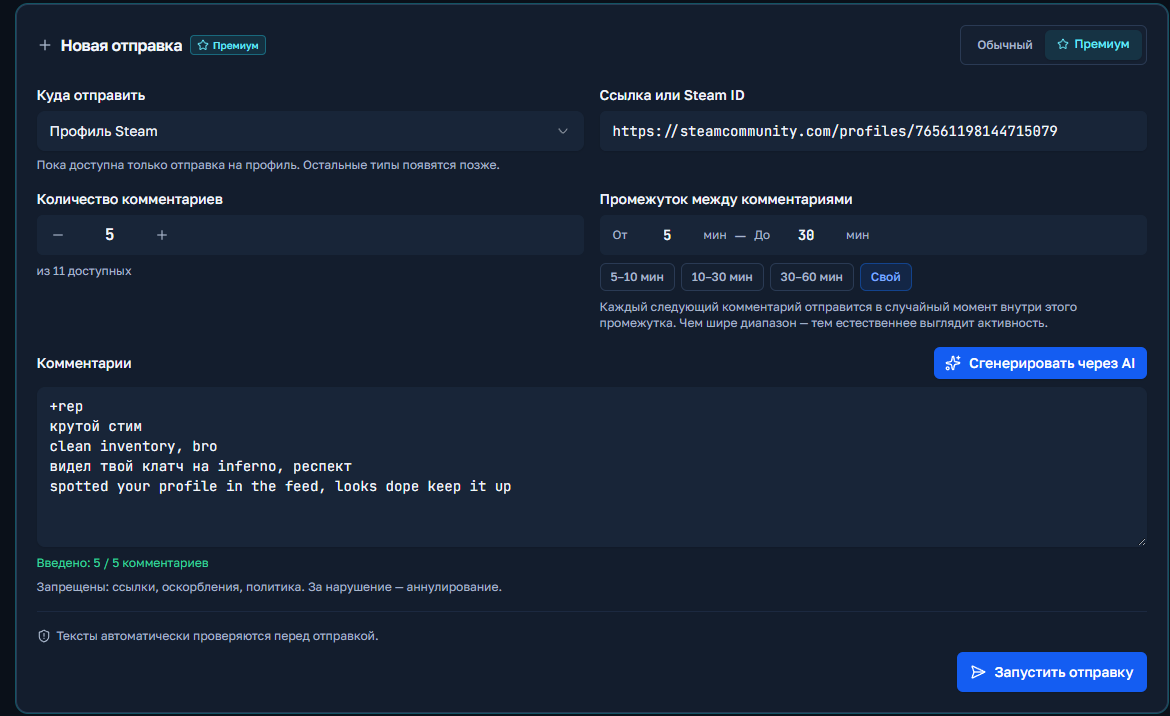
  2. Если у Вас "Премиум комментарии", то аналогично во кладке "Премиум" Вы указываете ссылку, можете выбрать количество, указать задержку минимум и максимум и так же вставить или сгенерировать комментарии.

Генерация комментариев ИИ

Шаг 5: Выполнение заказа

Нажимаете кнопку "Запустить отправку" и если нет никаких ошибок, то заказ запустится и отобразится ниже в поле "История отправок".

Запуск премиум комментариев

CS2 / Valorant Boost Instructions

Welcome! Please follow the simple steps to place an order for a Boost in CS2 or Valorant.

Step 1: Upgrade to a Discord server

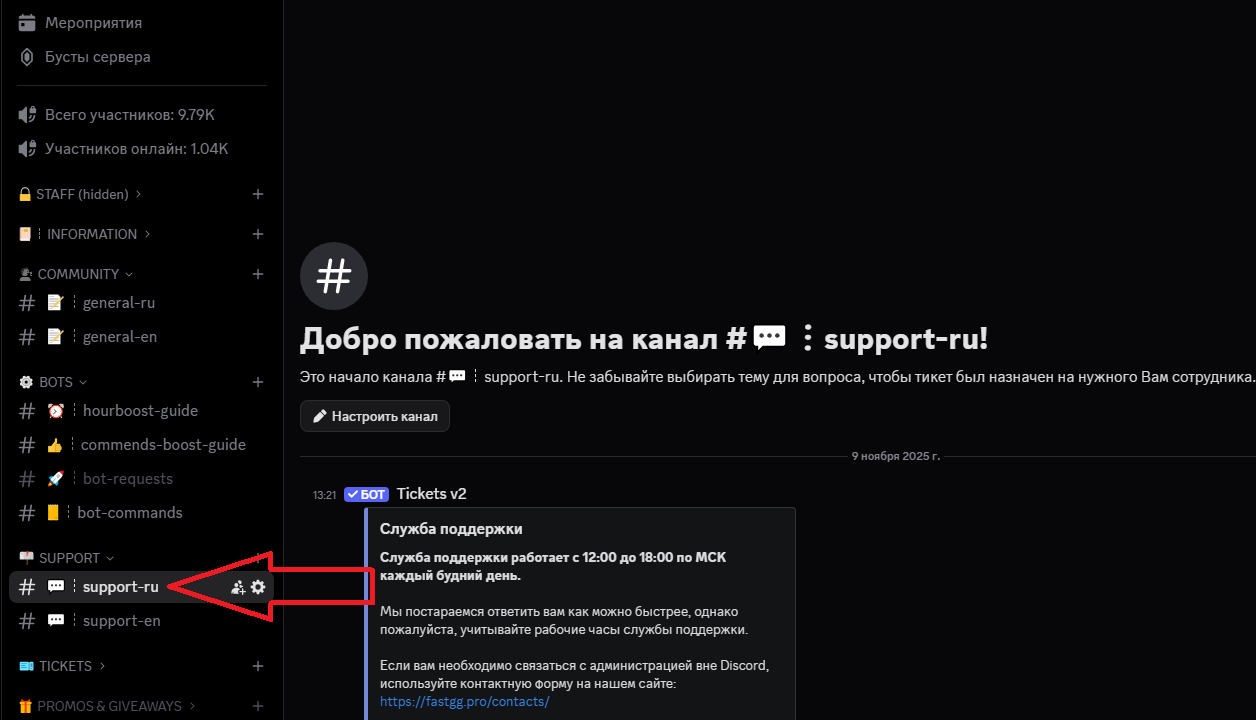
Go to our official Discord server

Step 2: Create a request in the support channel

Find a channel on the server called "#Support-ru or support-en".

Step 3: Filling in the data and waiting for processing

In this channel, open a request (ticket) to add an order by selecting the "Boost Rank/Valorant" section.
In the created application form, fill in all necessary data that is requested for ordering (e.g. order no., etc...).
We will quickly process your request and add your order! 😉

Watch Boost Instructions

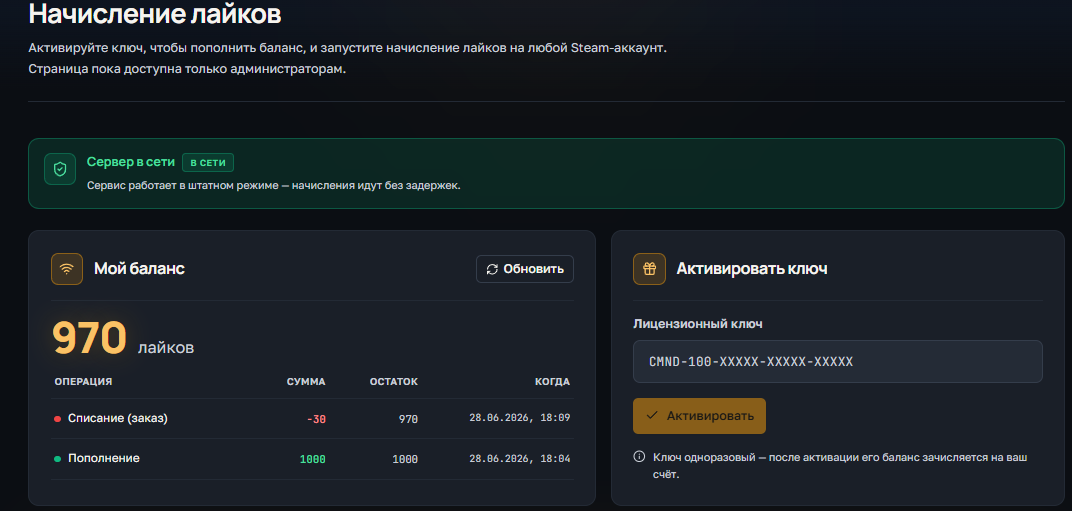
Welcome! Please follow the simple steps to activate your key and start Steam cashback

Step 1: Receive a check

After successful payment, you will receive an electronic check to the email address you provided.
The check will contain:

  • A unique activation key for your order.
  • A copy of these instructions for your convenience.
  • Direct link to our official Discord server in case you need support
Step 2: Activating the key

Go to the panel to control the clock boost and activate the key.
1) Going to the website - https://panel.fastgg.pro/ and register (click "sign in via Google or "Register").
2) Select the "Boost Hours" section (or from the link - https://panel.fastgg.pro/dashboard/hourboost) and in the "Activate key" field insert the key contained in the order receipt.


3) Click the "Add Account" button and enter your Stim Login and Password.
4) Now click on the "customize" button, inside you can enter the status (if the tariff allows) and be sure to add games to run (you can enter the names or id of the games).
5) All, click "save" and you can turn on the nakrutka button "Start", further intuitivino site will prompt when you need to enter the code to enter (from mail or on your phone), or will give an error, if there is one.

Step 3: Problems and questions

If you have any problems or questions, we recommend that you pay attention:
1. FAQ section with answers to questions - https://panel.fastgg.pro/dashboard/faq
2. Support/Ticketing system for dialog with support - https://panel.fastgg.pro/dashboard/tickets

Short instructions on how to use the service


1) Activation (via the form on this page) Enter Steam link and activation key in the form above. The key is one-time - after activation the balance will be tied to your steam account Important: log out of the CS2 server before activation.


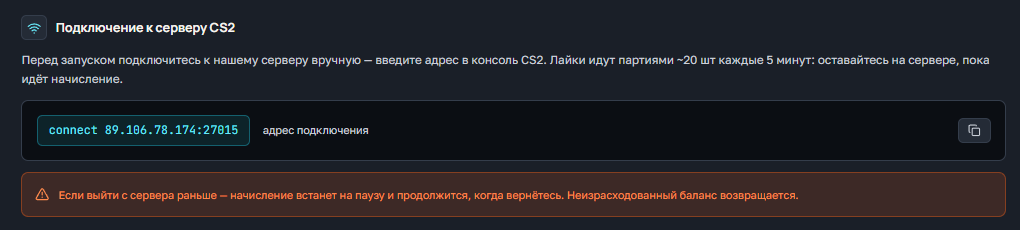
2) Connecting to the server after activation Connect manually to our server:

connect 91.98.94.110:27015 

or a second IP
connect 5.255.117.135:27015

3) Checking the current balance of likes Enter the server's chat:

!likes

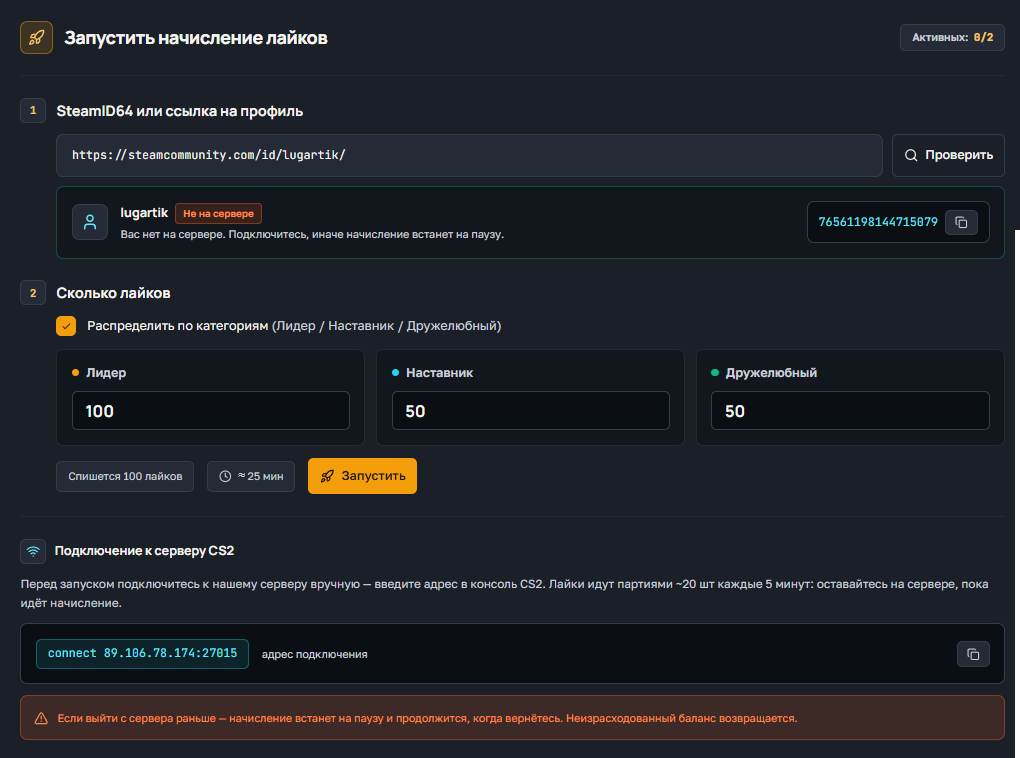
4) Request likes To get likes, use the command:

!likes X Y Z

X - number of likes Friendly Y - number of likes Teaching Z - number of likes Leader The system will queue the request and execute in batches up to 20 / 20 / 20 every ~5 minutes until everything is completed. Examples:

!likes 300 300 300 300
!likes 0 50 0

5) Stopping the queue (if you have to leave) If you need to exit, stop the process:

!likes stop

Wait for confirmation of the stop, then you can exit. All the likes already credited will be saved.


Important:

  • Do not send the same requests in a row.
  • Do not log off the server during an active party - it slows down execution.
  • Hint: 300 likes per category ≈ 15 games ≈ ~75 minutes.

If you need help - contact our support.

Lyrics Boost Instructions

Welcome! Please follow the simple steps to activate the key and get likes

Step 1: Receive a check
  • After successful payment, you will receive an electronic check to the email address you specified
  • The check will contain:
    • A unique activation key for your order.
    • A copy of these instructions for your convenience.
    • A direct link to our official Discord server where you can get further support and channel access.
Step 2: Connecting to the Discord server
Step 3: Go to the instruction channel
  • Find a channel on the server called "commands-boost-guide".".
  • In this channel you will find a detailed guide on how to activate the key and use the service. Make sure you study the instructions carefully before the next step.

Customer support is provided at our Discord server 

You can always open a ticket by selecting the subject of the request