
0 0

Корзина

No products in the cart.

Continue shopping

Fast boost with FastGG guarantee

Valorant Rank Boost

A team of professional players will be happy to help raise your Valorant rank and make the game more enjoyable

Calculator of boost Rank in Valorant

Use the calculator to place your order
Get 10% discount
Hurry up and order at the best price!
Promo code: Valorant10
valorant png 250 | FastGG - Boost game accounts CS2, Valorant, Dota 2
  • Current rating
  • Iron - I
  • Iron II
  • Iron III
  • Bronze - I
  • Bronze - II
  • Bronze III
  • Silver - I
  • Silver II
  • Silver III
  • Gold - I
  • Gold II
  • Gold - III
  • Platinum - I
  • Platinum II
  • Platinum III
  • Diamond I
  • Diamond II
  • Diamond III
  • Blossom - I
  • Blossom II
  • Blossom III
  • Immortal - I
  • Immortal II
  • Immortal III
  • Current rating
  • Iron - I
  • Iron II
  • Iron III
  • Bronze - I
  • Bronze - II
  • Bronze III
  • Silver - I
  • Silver II
  • Silver III
  • Gold - I
  • Gold II
  • Gold - III
  • Platinum - I
  • Platinum II
  • Platinum III
  • Diamond I
  • Diamond II
  • Diamond III
  • Blossom - I
  • Blossom II
  • Blossom III
  • Immortal - I
  • Immortal II
  • Immortal III
...
Current rating
strelka busta e1686074947485 | FastGG - Boost game accounts CS2, Valorant, Dota 2
Desired rating
...
Boost in a group with the performer, no account transfer required
Priority order queue, more games per day
Boost will be conducted in stealth mode
An extra win to your order
Payable to: Select the current and desired rating

How does it work?

Pre-boost steps

1. Select a service

Use the calculator to select your current and desired Valorant rank

2. place an order

When placing an order, please specify your email address to which you will receive a payment check to start the work

3. Fill in the data

Fill in your details at checkout or arrange a convenient time for the boost (if boosting in the lobby)

4. Start boosting your account

That's it, these simple points will get you started on your order in just 5 minutes 🙂

Reviews from our Clients

We do everything possible to provide our clients with the best service.
Feedback avatar

Alina R.

Rating
Fixess (I think that's the nickname) helped calibrate the Premier to 18900 very quickly, handsome guy!

Source of Review

trust index logo
Avatar for the review

Anton Navarov

Rating
I've been buying watches for two years now, the discord is certainly more convenient, thank you.

Source of Review

VK logo
Avatar for the review

Kirishima

Rating
Ordered a faceit booster, played in the lobby with fixxes - best booster ever, thanks for the great work and time!

Source of Review

trust index logo
avatar 3 | FastGG - Boost game accounts CS2, Valorant, Dota 2

Ivan Lalka

Rating
Overall cool, got likes quickly, spun every 5 minutes not 60, but 40+ counted

Source of Review

trust index logo
Feedback avatar

Arthur Kovalskiy

Rating
Bought a boost account, everything is clean and cool, prices are low, I recommend it

Source of Review

trust index logo
Avatar for the review

Yuri Opiumov

Rating
Thank you so much for your boost! The boost is now over! I am very pleased. You are working and answering questions every 30 minutes max and it's very satisfying! I have already recommended you to all my friends! 😀😀. ORDERED BUST FROM NEW 2 to CALACHE. VERY FAST WORK OF THE STAFF!

Source of Review

VK logo
Avatar for the review

Sergey Umnov

Rating
Support takes a long time to respond, didn't understand how to activate the service, help!!!!!

Source of Review

VK logo
Avatar for the review

Sasha

Rating
Boost commends worked well, I want a review bonus =)

Source of Review

trust index logo

The best solutions in industry

FastGG sets new standards in gaming services.
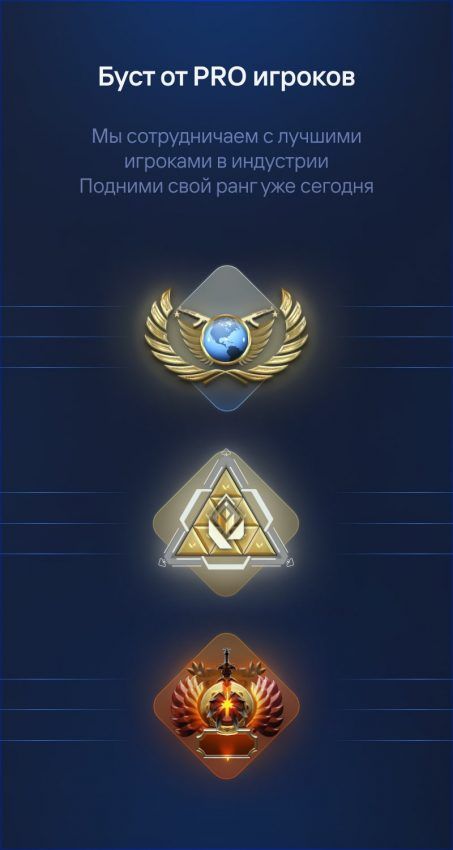
Cooperate with pro players CS2, Valorant, dota2 and others
Boost from PRO 
Leave the boost to the professionals - we only employ the best players
kartochka bezopasnost min 800 600 | FastGG - Boost game accounts CS2, Valorant, Dota 2
Anonymity
Your anonymity is our main concern! The entire boost is conducted in "offline" mode
kartochka skorost min 800 600 | FastGG - Boost game accounts CS2, Valorant, Dota 2
Quick Start
We are ready to start working with your order as soon as 10 minutes after placing your order
sposoby oplaty min 1 1024 1024 1024 | FastGG - Boost game accounts CS2, Valorant, Dota 2
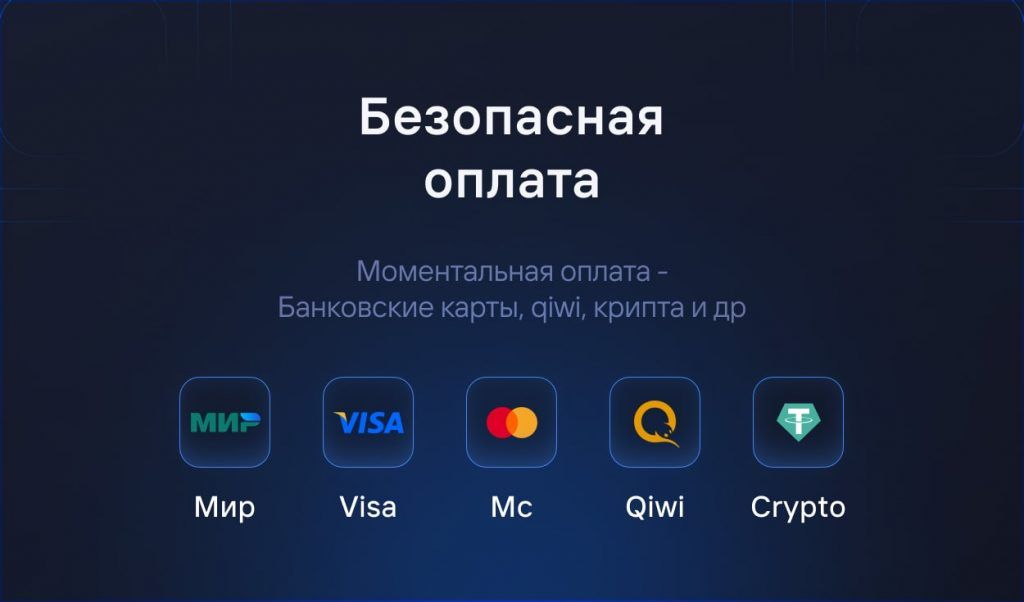
Secure payment
We value your privacy: pay securely and anonymously

We Answer Your Questions

Do you have any questions? Write to us in the online chat or contact us via Discord
Our support team will be happy to assist you 🙂

Rank boost in Valorant is possible directly from the account and in the lobby.
In a direct boost, the performer will log into your account and with a series of wins, raise the desired rank. 
Lobby Boost, or in another way pumping in a group, is a type of boost, when you play from your own account, without giving it to anyone else

After placing an order on the site, you will have access to a personal account, where you can set all the parameters of the boost, to coordinate a convenient time for you and simply communicate with the performer 

To boost your Valorant account, it will not be necessary to disable 2fa protection, which ensures the account is completely secure
This means that access to your account and settings remains solely in your hands.  

We work only with PRO players, who have signed contracts with us and provided passport data as well

When it comes to boost services, we can confidently say that our services are the best in the market.

We offer a variety of options to boost your Valorant account, and our performers are proven players who are ready to start boosting within 10 minutes after placing an order

Boost speed is highly dependent on your current rating and statistics, we take this indicator very seriously. Our performers are high class players who are able to boost your rating in minimum time.
For example, a standard Valorant boost takes about 48 hours to complete

We are always happy to help and answer any questions you may have! You can contact us in several convenient ways:

  • Online chat:Write to us in the online chat on our website, and we will respond to your request promptly.
  • Discord:Join our Discord channel, where you can receive consultation and support from our team.
  • Phone:Call us during business hours, and we will answer all your questions.

For additional information and contact details, visit our "Contact Us" section. ContactsWe aim to provide quality support and consultation for all our clients.

Live Support

Do you need help?

Our managers are always happy to help you, just write to us 🙂 🙂
Do you need help?
We're here to help - email us!
"Counter-Strike 2" and "Dota 2" are registered trademarks owned by Valve Corporation. "Valorant" is a registered trademark owned by Riot Games. Our company (or "We", based on the context) has no official relationship with, and is not affiliated, associated or endorsed by, Valve Corporation or Riot Games. All rights to trademarks belong to their rightful owners.

© FastGG - IP Keith K. A. - INN 781436538007 - OGRNIP 325470400124048

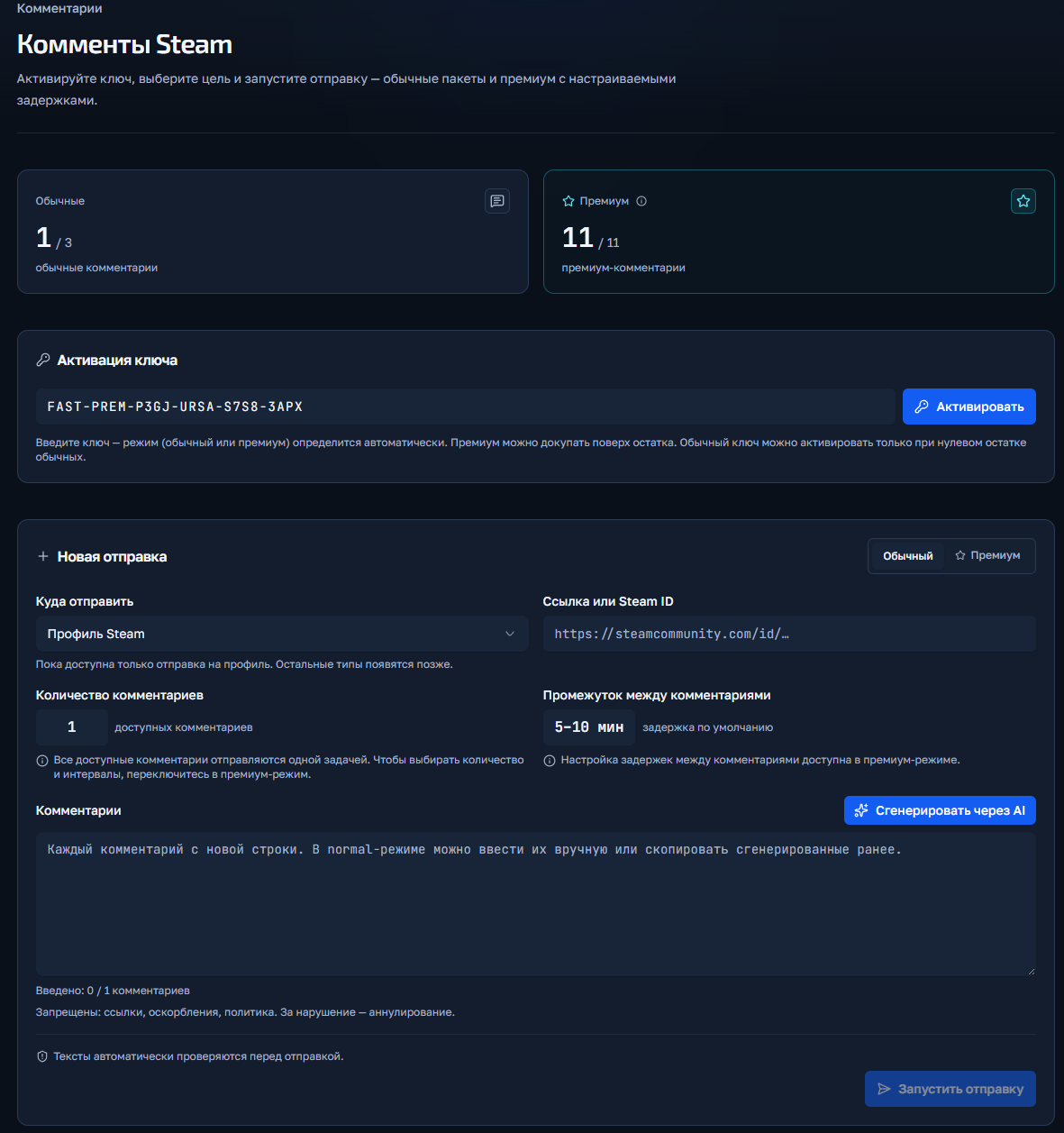
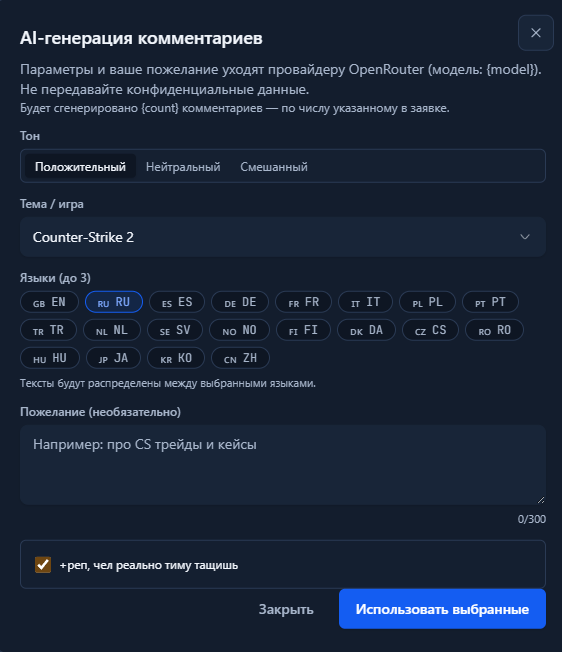
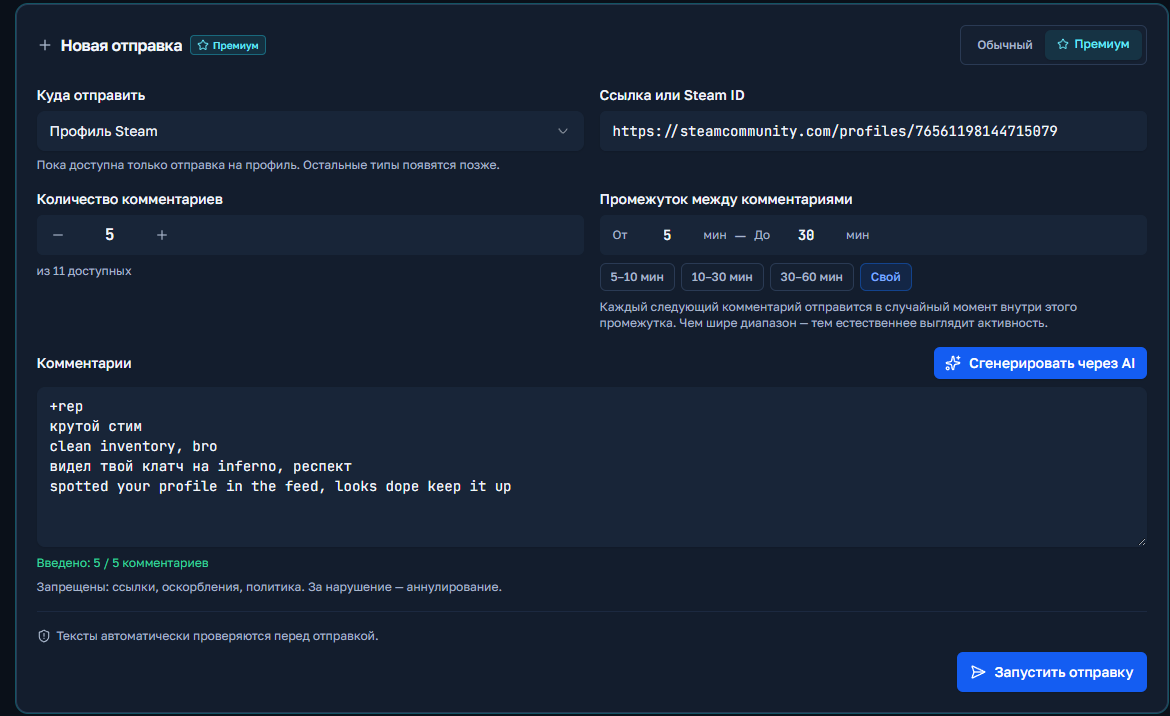
Steam Comments Rollup Instructions

Welcome! Please follow the simple steps to place an order for comment baiting in Steam.

Step 1: Upgrade to a Discord server

Go to our official Discord server.

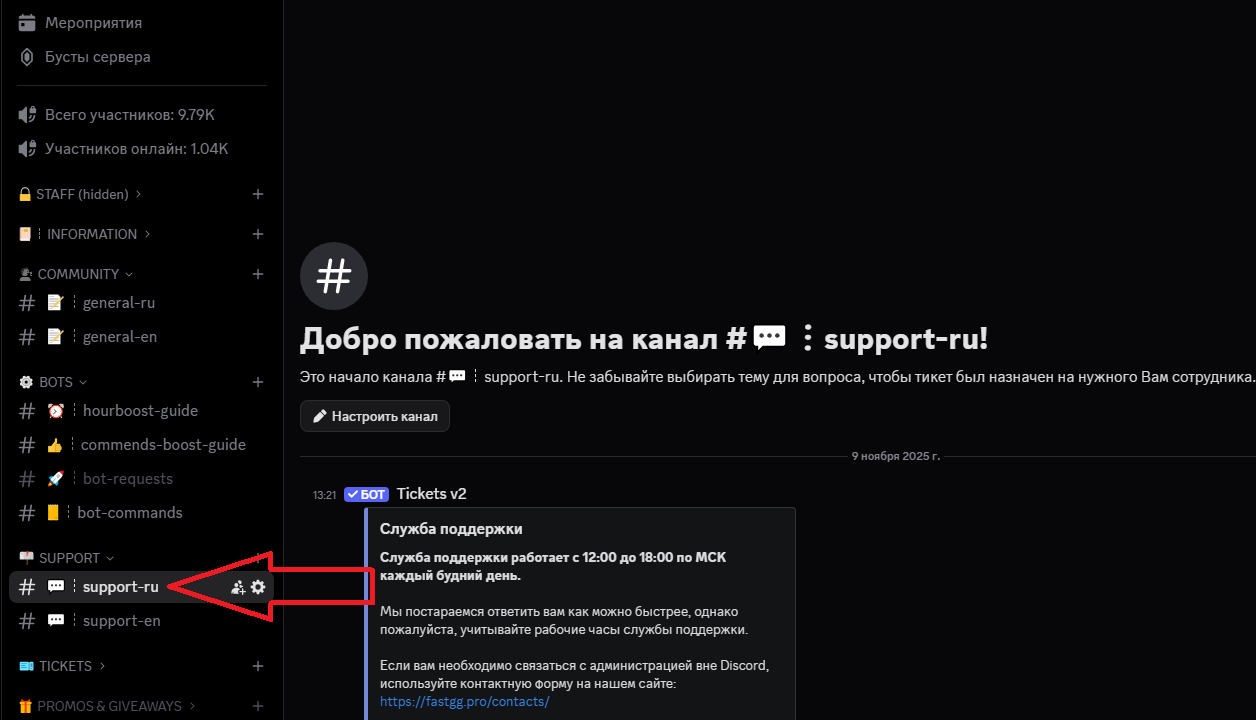
Step 2: Create a request in the support channel

After activating the role, find a channel on the server called "#Support-ru or support-en".
In this channel, open a request (ticket) to add an order.

Step 3: Filling in the data and waiting for processing

Select a topic from the drop-down menu "Scoring comments." (not Boost Rank).
Fill in all the necessary data that is requested for checkout (e.g. link to your Steam profile, number of comments, etc.).
We will quickly process your request and add your order! 😉.

CS2 / Valorant Boost Instructions

Welcome! Please follow the simple steps to place an order for a Boost in CS2 or Valorant.

Step 1: Upgrade to a Discord server

Go to our official Discord server

Step 2: Create a request in the support channel

Find a channel on the server called "#Support-ru or support-en".

Step 3: Filling in the data and waiting for processing

In this channel, open a request (ticket) to add an order by selecting the "Boost Rank/Valorant" section.
In the created application form, fill in all necessary data that is requested for ordering (e.g. order no., etc...).
We will quickly process your request and add your order! 😉
Watch Boost Instructions

Welcome! Please follow the simple steps to activate your key and start Steam cashback

Step 1: Receive a check

After successful payment, you will receive an electronic check to the email address you provided.
The check will contain:

  • A unique activation key for your order.
  • A copy of these instructions for your convenience.
  • Direct link to our official Discord server in case you need support
Step 2: Activating the key

Go to the panel to control the clock boost and activate the key.
1) Going to the website - https://panel.fastgg.pro/ and register (click "sign in via Google or "Register").
2) Select the "Boost Hours" section (or from the link - https://panel.fastgg.pro/dashboard/hourboost) and in the "Activate key" field insert the key contained in the order receipt.
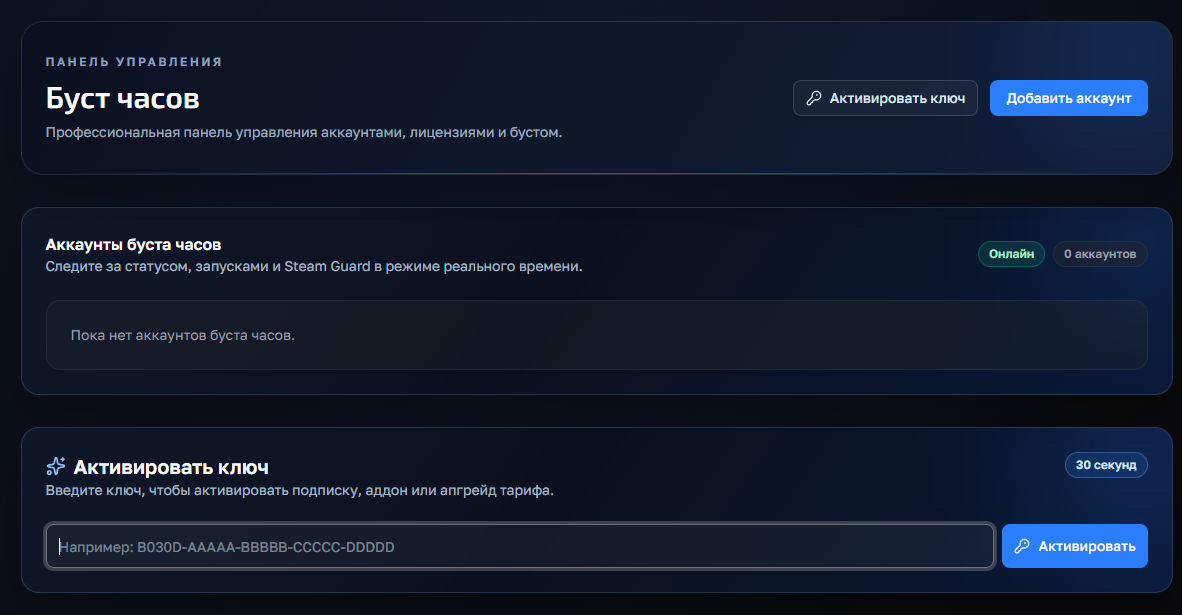


3) Click the "Add Account" button and enter your Stim Login and Password.
4) Now click on the "customize" button, inside you can enter the status (if the tariff allows) and be sure to add games to run (you can enter the names or id of the games).
5) All, click "save" and you can turn on the nakrutka button "Start", further intuitivino site will prompt when you need to enter the code to enter (from mail or on your phone), or will give an error, if there is one.

Step 3: Problems and questions

If you have any problems or questions, we recommend that you pay attention:
1. FAQ section with answers to questions - https://panel.fastgg.pro/dashboard/faq
2. Support/Ticketing system for dialog with support - https://panel.fastgg.pro/dashboard/tickets

Short instructions on how to use the service


1) Activation (via the form on this page) Enter Steam link and activation key in the form above. The key is one-time - after activation the balance will be tied to your steam account Important: log out of the CS2 server before activation.


2) Connecting to the server after activation Connect manually to our server:

connect 91.98.94.110:27015 

or a second IP
connect 5.255.117.135:27015

3) Checking the current balance of likes Enter the server's chat:

!likes

4) Request likes To get likes, use the command:

!likes X Y Z

X - number of likes Friendly Y - number of likes Teaching Z - number of likes Leader The system will queue the request and execute in batches up to 20 / 20 / 20 every ~5 minutes until everything is completed. Examples:

!likes 300 300 300 300
!likes 0 50 0

5) Stopping the queue (if you have to leave) If you need to exit, stop the process:

!likes stop

Wait for confirmation of the stop, then you can exit. All the likes already credited will be saved.


Important:

  • Do not send the same requests in a row.
  • Do not log off the server during an active party - it slows down execution.
  • Hint: 300 likes per category ≈ 15 games ≈ ~75 minutes.

If you need help - contact our support.

Lyrics Boost Instructions

Welcome! Please follow the simple steps to activate the key and get likes
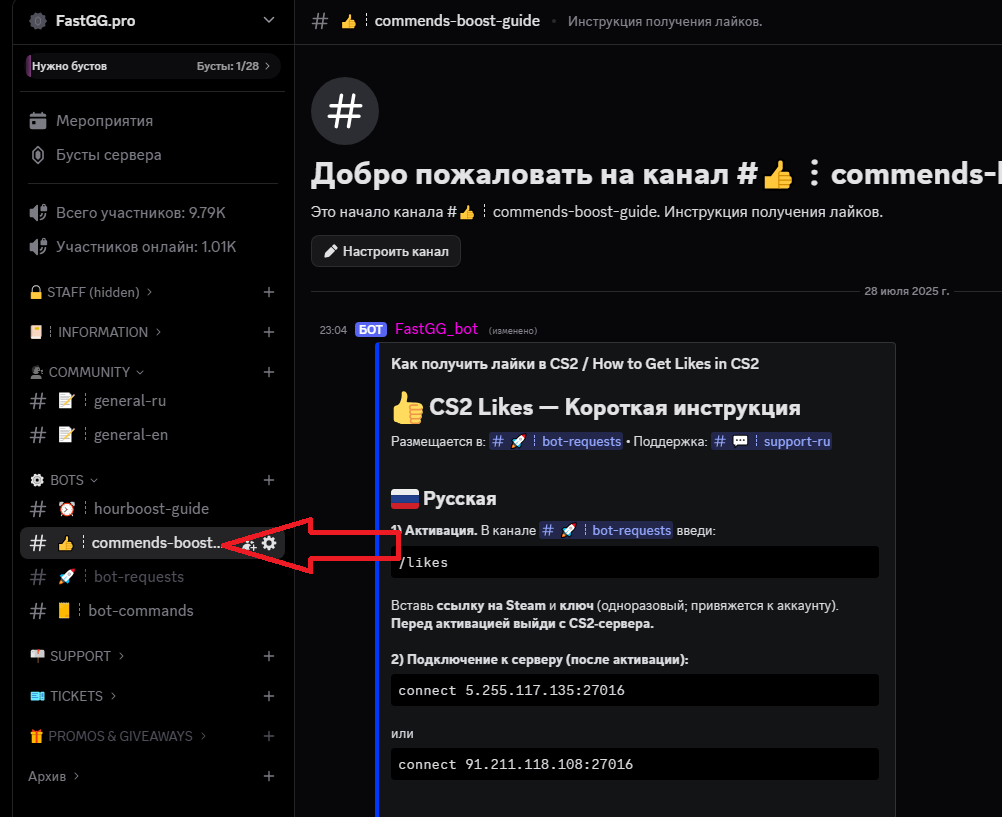
Step 1: Receive a check
  • After successful payment, you will receive an electronic check to the email address you specified
  • The check will contain:
    • A unique activation key for your order.
    • A copy of these instructions for your convenience.
    • A direct link to our official Discord server where you can get further support and channel access.
Step 2: Connecting to the Discord server
Step 3: Go to the instruction channel
  • Find a channel on the server called "commands-boost-guide".".
  • In this channel you will find a detailed guide on how to activate the key and use the service. Make sure you study the instructions carefully before the next step.

Customer support is provided at our Discord server 

You can always open a ticket by selecting the subject of the request