

0 0

Корзина

No products in the cart.

Continue shopping

Trust level boost in CS2

Boost the Trust Factor in CS2

Restore trust factor in CS2 - Hundreds of commends from real players

00

days day

00

hours hour

00

minutes minute

00

seconds second

Choose your tariff

Let's boost up your Steam profile together

Комбо — всё в одном

Буст часов + комментарии + бонусы со скидкой

SILVER COMBO
Silver Combo

Silver Combo

Комбо услуга с 15% скидкой от обычной цены

Первоначальная цена составляла ₽686.Текущая цена: ₽584.
  • Буст часов 30 дней — тариф Base
  • 15 комментариев Steam
  • 200 похвал в CS2
  • 5 проверок Trust Factor
DIAMOND COMBO
Diamond Combo

Diamond Combo

Комбо услуга с 30% скидкой от обычной цены

Первоначальная цена составляла ₽4233.Текущая цена: ₽2963.
  • Буст часов 365 дней — тариф Plus
  • 50 комментариев Steam PREM
  • 1600 похвал в CS2
  • 50 проверок Trust Factor

How does it work?

Pre-boost steps

1. Select a tariff

Choose the right rate that will help you improve your trust factor (trust level in CS2)

2. place an order

When placing an order, please specify your email address to which you will receive a payment check to start the work

3. Fill in the data

Fill out the details for the watch boost and select the comments you would like to receive on your profile

4. Start boosting your account

That's it, these simple points will get you started on your order in just 5 minutes 🙂

Reviews from our Clients

We do everything possible to provide our clients with the best service.
Avatar for the review

Yuri Opiumov

Rating
Thank you so much for your boost! The boost is now over! I am very pleased. You are working and answering questions every 30 minutes max and it's very satisfying! I have already recommended you to all my friends! 😀😀. ORDERED BUST FROM NEW 2 to CALACHE. VERY FAST WORK OF THE STAFF!

Source of Review

VK logo
4 | FastGG - Boost game accounts CS2, Valorant, Dota 2

Arturczyk

Rating
Booster Saipex handsome, zakkeril me feisit from the 6th level at 2300, vinstrik fire and the account is not in the ban, my respect to him and the project!

Source of Review

VK logo
Avatar for the review

Ivan Gromov

Rating
Thank you. I hope the teammates aren't stupid now.

Source of Review

trust index logo
Feedback avatar

Vladislav Smirnov

Rating
I would like to express my gratitude to the booster Saipex. Despite the problems with light, always stayed in touch, informed, and just a great guy, friendly 🔥 Just 10/10!

Source of Review

VK logo
Feedback avatar

Alina R.

Rating
Fixess (I think that's the nickname) helped calibrate the Premier to 18900 very quickly, handsome guy!

Source of Review

trust index logo
Avatar for the review

Marat Akhmadullin

Rating
Ordered praise, everything is clear and fast. +REP

Source of Review

VK logo
Avatar for the review

Anton Navarov

Rating
I've been buying watches for two years now, the discord is certainly more convenient, thank you.

Source of Review

VK logo
Feedback avatar

Highly Ego

Rating
Great boost on praise and boost accounts managers are kind)

Source of Review

trust index logo

The best solutions in industry

FastGG sets new standards in gaming services.
Cooperate with pro players CS2, Valorant, dota2 and others
Boost from PRO 
Leave the boost to the professionals - we only employ the best players
kartochka bezopasnost min 800 600 | FastGG - Boost game accounts CS2, Valorant, Dota 2
Anonymity
Your anonymity is our main concern! The entire boost is conducted in "offline" mode
kartochka skorost min 800 600 | FastGG - Boost game accounts CS2, Valorant, Dota 2
Quick Start
We are ready to start working with your order as soon as 10 minutes after placing your order
sposoby oplaty min 1 1024 1024 1024 | FastGG - Boost game accounts CS2, Valorant, Dota 2
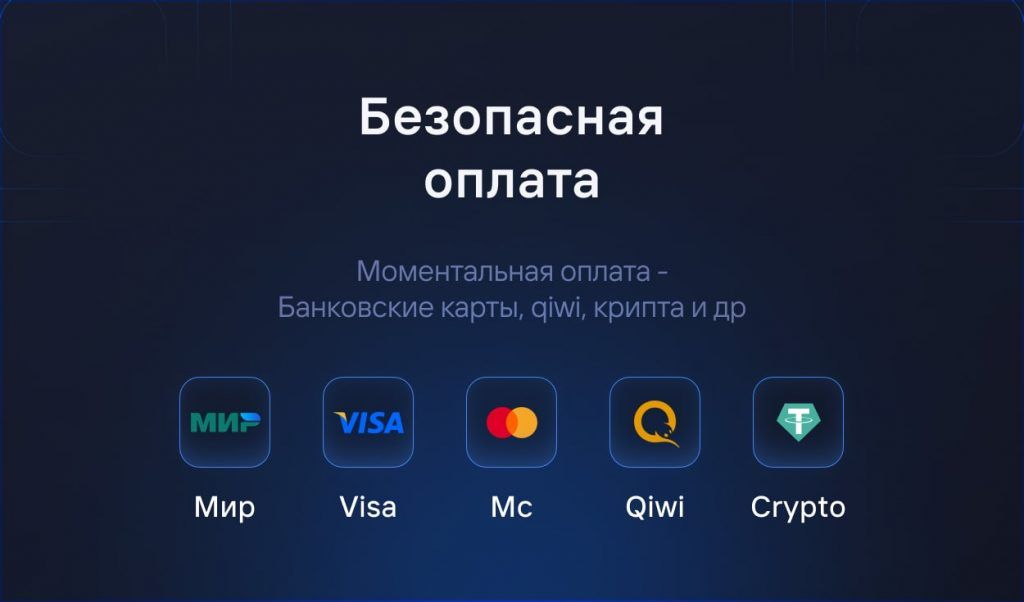
Secure payment
We value your privacy: pay securely and anonymously

We Answer Your Questions

Do you have any questions? Write to us in the online chat or contact us via Discord
Our support team will be happy to assist you 🙂

Trust Factor Boost service is characterized by a comprehensive approach to solving the problem of reduced trust level of your ks go account
While the boost of praise or comments, helps subtly improve account stats, a set of 3 services at once

  • Commends boost

  • Steam HourBoost

  • Comments on the steam profile 

Allows you to improve your account faster and with more assurance, and best of all, when you purchase the bundle, you get an automatic discount of up to 30% on each of the services

Given that you will receive 3 different services, we will only summarize the approach briefly 

Commends Boost
We will invite you to the cs go server, where we will connect boost praise to your account

Hour Boost Steam
Let's connect your account to our bot, which will be able to constantly be in your selected games, thereby gaining hours, and most importantly, the bot does this only while your account is not active

Comments on Steam profile
Send you unique comments on your profile. All comments are left by live accounts, and at different times. This will not only visually pump up your account, but also noticeably improve Trust Factor

All services are completely secure for your account

  • Boost commends are held on our server

  • You won't need to disable steam guard to gain hours in steam

  • And sending comments to a styme profile, would only require opening a wall

We are always happy to help and answer any of your questions! You can always write to us in online chat, on Discord channel or call us during working hours. Contacts section

Live Support

Do you need help?

Our managers are always happy to help you, just write to us 🙂 🙂
Do you need help?
We're here to help - email us!
"Counter-Strike 2" and "Dota 2" are registered trademarks owned by Valve Corporation. "Valorant" is a registered trademark owned by Riot Games. Our company (or "We", based on the context) has no official relationship with, and is not affiliated, associated or endorsed by, Valve Corporation or Riot Games. All rights to trademarks belong to their rightful owners.

© FastGG - IP Keith K. A. - INN 781436538007 - OGRNIP 325470400124048

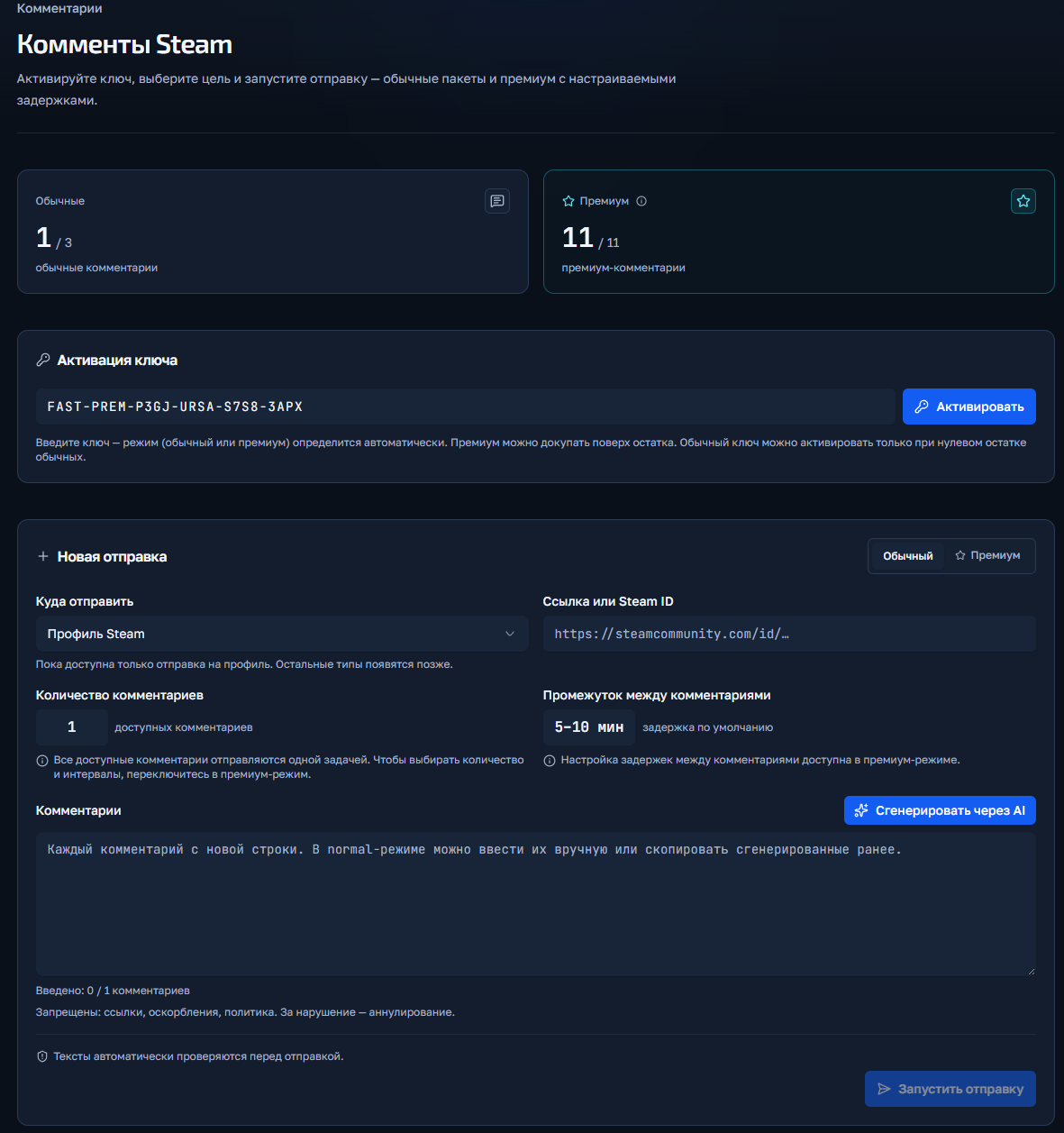
Steam Comments Rollup Instructions

Welcome! Please follow the simple steps to place an order for comment baiting in Steam.

Шаг 1: Переход в FastGG Панель управления

Заходим в панель управления(кликабельный текст) и регистрируемся или логинимся (если ранее создавали аккаунт).

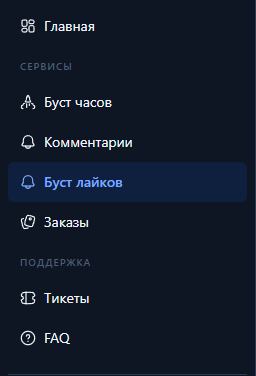
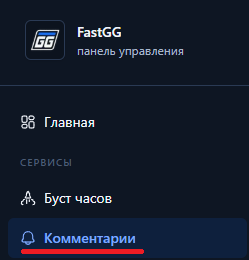
Шаг 2: Переходим в раздел накрутки комментариев

Раздел комментарии в панели управления

Шаг 3: Активируем ключ заказа
  1. После оплаты перед Вами будет чек с товаром и инструкцией (так же он дублируется на почту указанную при оплате), листаем в самый низ до раздела "Ваш(и) лицензионный(ые) ключ(и):" и копируем нужный ключ.
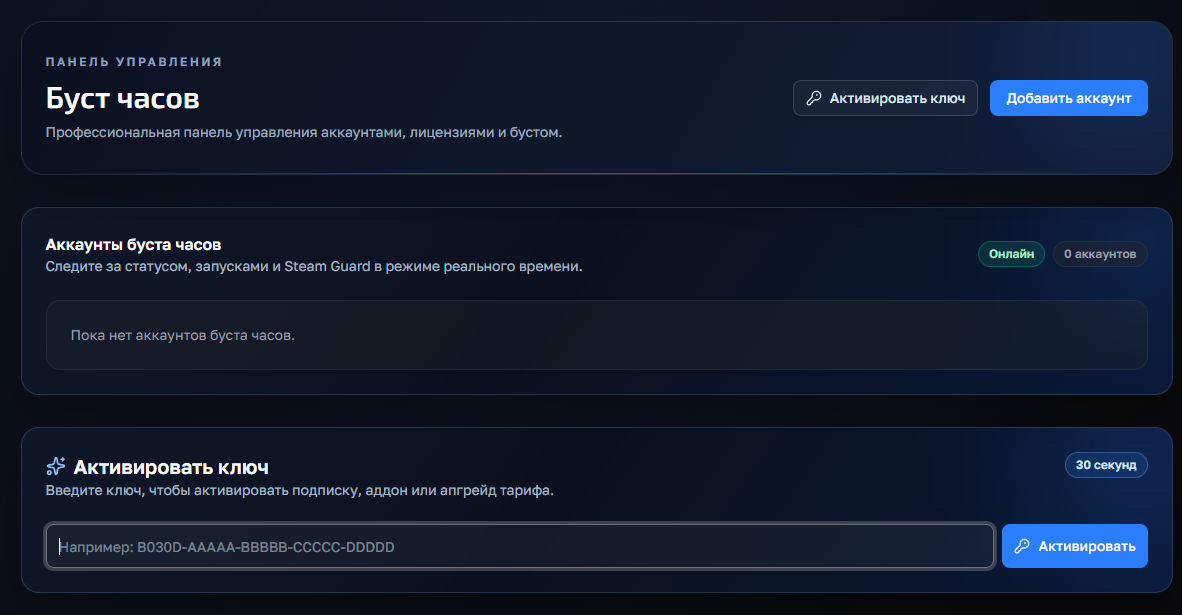
  2. Активируем ключ в поле "Активация ключа"

Активация ключа в панели управления

Шаг 4: Запуск заказа
  1. Если у Вас куплены "Обычные комментарии", то на вкладке "обычный" Вы заполняете ссылку на профиль и указываете комментарии (либ оиспользуете кнопку генерации) и запускаете их. В обычных комментариях нет выбора количестве или времени отправки.
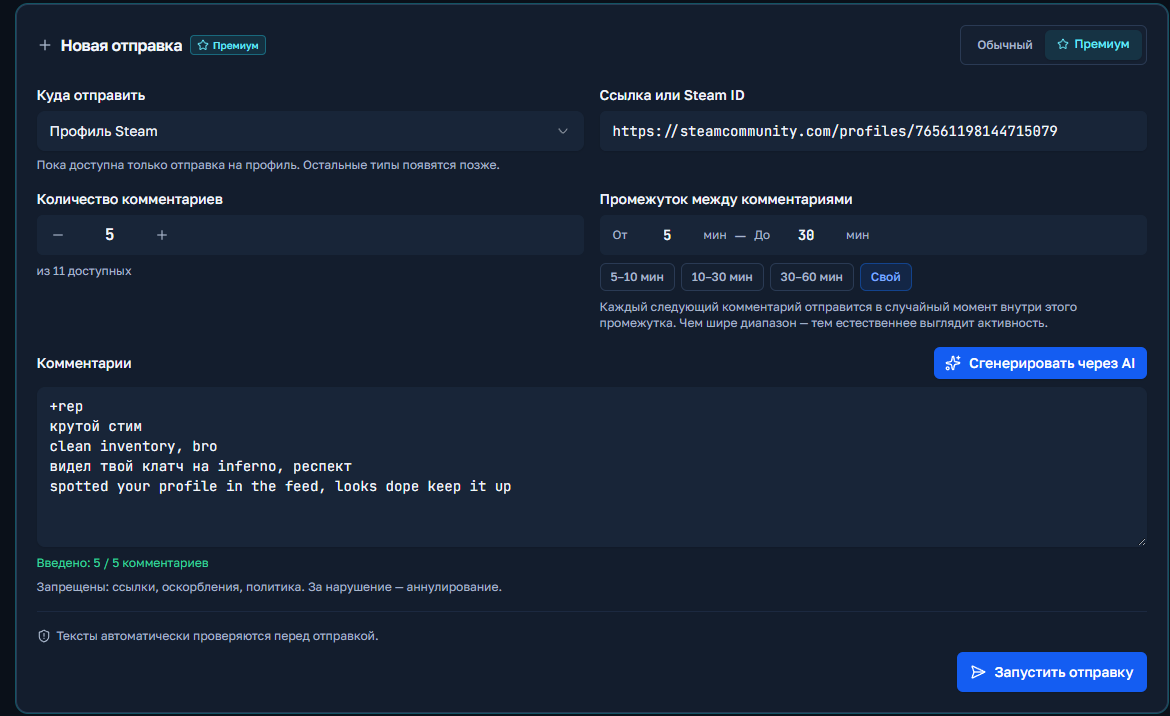
  2. Если у Вас "Премиум комментарии", то аналогично во кладке "Премиум" Вы указываете ссылку, можете выбрать количество, указать задержку минимум и максимум и так же вставить или сгенерировать комментарии.

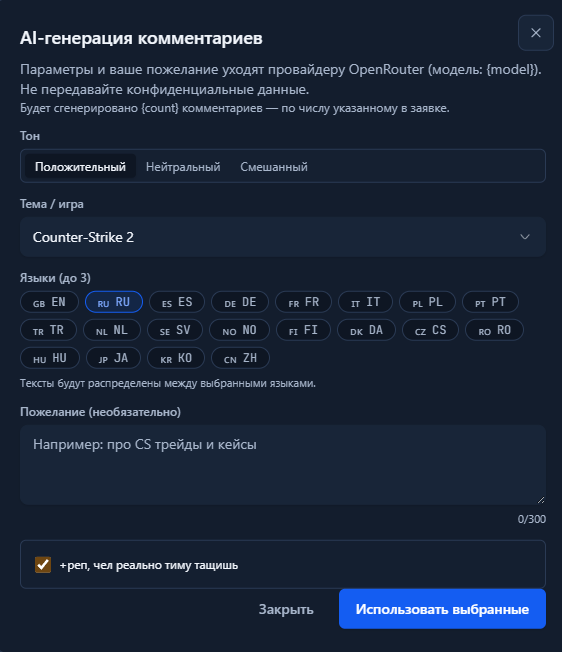
Генерация комментариев ИИ

Шаг 5: Выполнение заказа

Нажимаете кнопку "Запустить отправку" и если нет никаких ошибок, то заказ запустится и отобразится ниже в поле "История отправок".

Запуск премиум комментариев

CS2 / Valorant Boost Instructions

Welcome! Please follow the simple steps to place an order for a Boost in CS2 or Valorant.

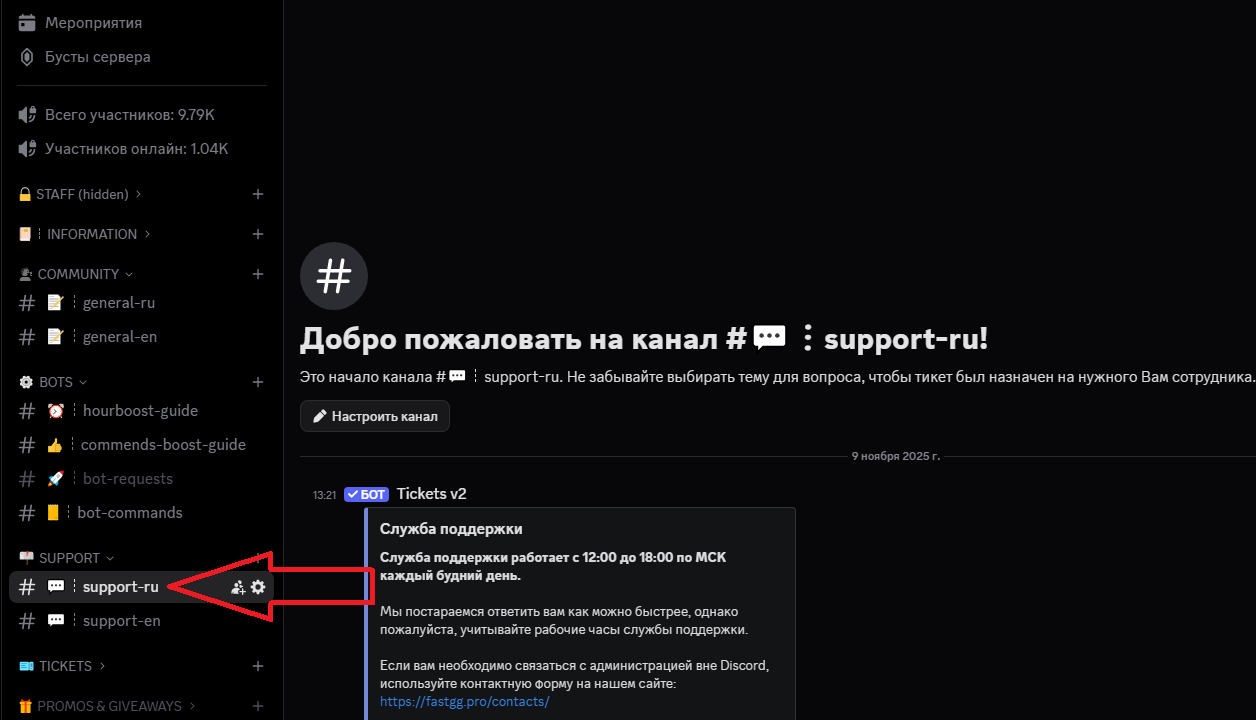
Step 1: Upgrade to a Discord server

Go to our official Discord server

Step 2: Create a request in the support channel

Find a channel on the server called "#Support-ru or support-en".

Step 3: Filling in the data and waiting for processing

In this channel, open a request (ticket) to add an order by selecting the "Boost Rank/Valorant" section.
In the created application form, fill in all necessary data that is requested for ordering (e.g. order no., etc...).
We will quickly process your request and add your order! 😉

Watch Boost Instructions

Welcome! Please follow the simple steps to activate your key and start Steam cashback

Step 1: Receive a check

After successful payment, you will receive an electronic check to the email address you provided.
The check will contain:

  • A unique activation key for your order.
  • A copy of these instructions for your convenience.
  • Direct link to our official Discord server in case you need support
Step 2: Activating the key

Go to the panel to control the clock boost and activate the key.
1) Going to the website - https://panel.fastgg.pro/ and register (click "sign in via Google or "Register").
2) Select the "Boost Hours" section (or from the link - https://panel.fastgg.pro/dashboard/hourboost) and in the "Activate key" field insert the key contained in the order receipt.


3) Click the "Add Account" button and enter your Stim Login and Password.
4) Now click on the "customize" button, inside you can enter the status (if the tariff allows) and be sure to add games to run (you can enter the names or id of the games).
5) All, click "save" and you can turn on the nakrutka button "Start", further intuitivino site will prompt when you need to enter the code to enter (from mail or on your phone), or will give an error, if there is one.

Step 3: Problems and questions

If you have any problems or questions, we recommend that you pay attention:
1. FAQ section with answers to questions - https://panel.fastgg.pro/dashboard/faq
2. Support/Ticketing system for dialog with support - https://panel.fastgg.pro/dashboard/tickets

Short instructions on how to use the service


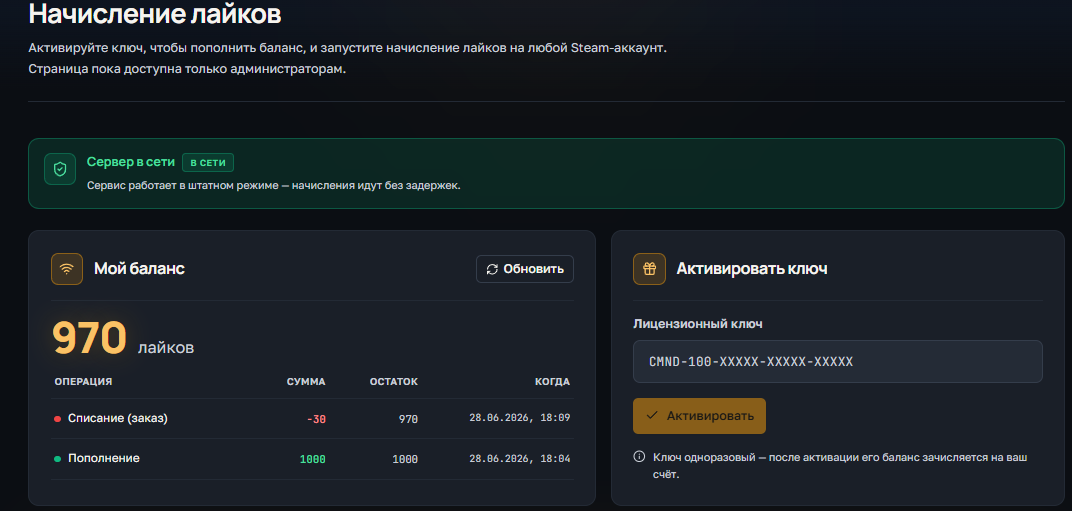
1) Activation (via the form on this page) Enter Steam link and activation key in the form above. The key is one-time - after activation the balance will be tied to your steam account Important: log out of the CS2 server before activation.


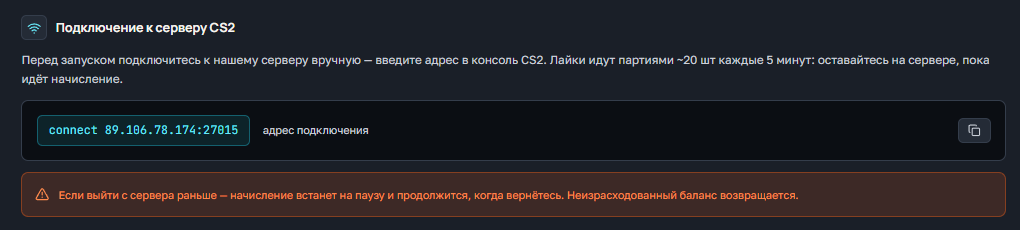
2) Connecting to the server after activation Connect manually to our server:

connect 91.98.94.110:27015 

or a second IP
connect 5.255.117.135:27015

3) Checking the current balance of likes Enter the server's chat:

!likes

4) Request likes To get likes, use the command:

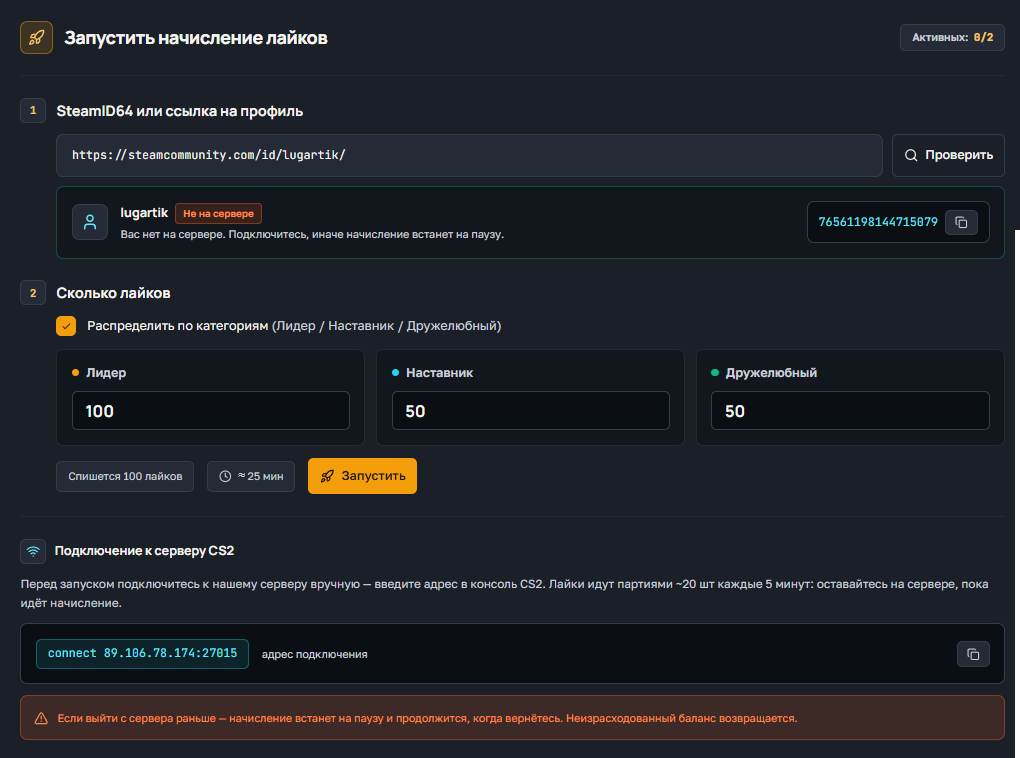
!likes X Y Z

X - number of likes Friendly Y - number of likes Teaching Z - number of likes Leader The system will queue the request and execute in batches up to 20 / 20 / 20 every ~5 minutes until everything is completed. Examples:

!likes 300 300 300 300
!likes 0 50 0

5) Stopping the queue (if you have to leave) If you need to exit, stop the process:

!likes stop

Wait for confirmation of the stop, then you can exit. All the likes already credited will be saved.


Important:

  • Do not send the same requests in a row.
  • Do not log off the server during an active party - it slows down execution.
  • Hint: 300 likes per category ≈ 15 games ≈ ~75 minutes.

If you need help - contact our support.

Lyrics Boost Instructions

Welcome! Please follow the simple steps to activate the key and get likes

Step 1: Receive a check
  • After successful payment, you will receive an electronic check to the email address you specified
  • The check will contain:
    • A unique activation key for your order.
    • A copy of these instructions for your convenience.
    • A direct link to our official Discord server where you can get further support and channel access.
Step 2: Connecting to the Discord server
Step 3: Go to the instruction channel
  • Find a channel on the server called "commands-boost-guide".".
  • In this channel you will find a detailed guide on how to activate the key and use the service. Make sure you study the instructions carefully before the next step.

Customer support is provided at our Discord server 

You can always open a ticket by selecting the subject of the request