Version: v1.3 Date: 10.04.2026
1.1 This Appendix regulates special conditions of provision of all services and use of the Company's software, including: game support service («Boost») for CS2 and Valorant, commendations publishing service in CS2, comments publishing service in Steam, BoostHour service (software/bot) for displaying profile activity and time accounting.
1.2 The Annex is an integral part of the User Agreement (Offer). In case of contradiction between the general provisions of the Offer and special terms of this Appendix, the provisions of the Appendix shall prevail.
2.1 The Company strives to provide services taking into account the current rules of the relevant platforms (including Steam/CS2/Valorant/Discord). At the same time, the Client realizes that the rules of the platforms may change, interpreted differently by the platforms and applied at the discretion of the platforms. The Company does not guarantee that specific actions will not be considered by the platform as a violation.
2.2 The services are provided «as is»; the Company does not guarantee changes in hidden or internal metrics of the platforms (including Trust Factor, ranks, reputation scores). Any references to possible positive dynamics are based on publicly available information and observed correlation and do not constitute a promise of results.
2.3 Discord and web panel are used as communication, confirmation, activation and support channels to perform the services.
2.4 The window of acceptance of the result: within 48 hours after assigning the status «Completed» the Client has the right to send motivated objections; after the expiry of the term the result is considered accepted. The presumption of acceptance applies to the externally detectable scope, quantity and status of the result and does not deprive the Customer of the right to report hidden defects within the time limits established by the legislation of the Russian Federation.
2.5 Refill window (divisible services): 48 hours from the moment of «Executed» subject to the terms and conditions of this Annex.
2.6 Volume tolerance: a process error of ±10% is allowed due to platform restrictions/moderation; missing units are compensated according to the refill rules.
2.7. Support SLA: responses are provided within 24 hours. The time zone is MSK. Appeals are accepted via the ticket system in the web panel, Discord and e-mail.
2.8 Evidence of performance: profile data, report in web panel/LC/Discord, screenshots, execution logs, as well as information from third-party public statistics trackers (if applicable) are sufficient. Request for video streams is not required.
2.9 Storage of logs: work logs and materials confirming the fact/volume of services rendered shall be stored for at least 180 (one hundred eighty) calendar days.
2.10. Antifraud/verification: The Company has the right to suspend execution and request additional information on orders with signs of increased risk (including order amount over 10,000 RUB or 100 EUR, as well as in case of atypical scenarios, data discrepancies or repeated refusals to debit). Verification may include: confirmation of e-mail/Discord account ownership, masked statement or payment screenshot, verification via payment provider. Extended verification (identity documents) is requested only in case of reasonable suspicion of using other people's payment means or at the request of the payment provider.
3.1 The Customer undertakes not to interfere with the provision of services: not to log in to the account in parallel, not to change the password/2FA/region/privacy/profile link, not to start the paid mode independently without agreement, not to change the parameters affecting the performance.
3.2 If access/security/privacy parameters are changed, the Company has the right to pause the order for up to 3 (three) business days for clarification. If the Customer refuses to provide updated data necessary for continuation, the order may be closed with fixation of the executed volume; retention and refund - in accordance with cl. 5.4 of the Offer.
3.3 It is forbidden to use cheats, injectors and other software that violates the user agreements of the respective games/platforms during the provision of services.
4.1 Formats: account-share (play on the Client's account) and duo/coach (joint sessions/consultations).
4.2 Region: service is provided in the EU-region. If the Customer is located in other regions, connection and matchmaking peculiarities are possible.
4.3 Unit of volume: a match and/or an hour of playing time. For orders «up to the goal» (rank/points), the volume may be counted in actual matches/hours played, if achieving the goal requires more than a reasonable amount of effort due to account/selection peculiarities.
4.4. Start SLA: appointment of the Contractor and start within 24 hours from the moment of creation of the application (after payment the Client completes the application).
4.5 Fallback-guarantee: if the Contractor is not appointed within 7 calendar days from the date of the application, a full refund on the order is provided in accordance with the procedure set out in clause. 5.1 of the Offer.
4.6 Proof of volume/results: screenshots, match logs, profile data, report/progress in web panel/LC/Discord, as well as information from public stat trackers (if applicable).
4.7 Platform restrictions: MMR-lock, match limits, platform updates/breakdowns extend the terms and are not in themselves a disadvantage of the service.
4.8 Time windows: fixed, specific hours by time of execution of services (windows) are not guaranteed; individual agreement with the Contractor is possible, but it is not an obligation of the Company.
4.9 No-show and rescheduled sessions (duo/coach). If the Client fails to show up for an agreed session without notifying the Company two (2) hours prior to the start time, the session shall be deemed to have taken place and no refund will be due for that session. For rescheduling less than two (2) hours in advance, the Company will make reasonable efforts to schedule a new time but does not guarantee availability; if rescheduling is not possible, the session shall be deemed to have taken place. Rescheduling requested in advance (2 or more hours in advance) will be made without consequence if slots are available.
5.1 Access model: the activation key provides access for a fixed term (e.g. 30/90 days) according to the tariff description. The term countdown starts from the moment of activation of the key in the web panel. The Company's obligation to provide the right of use (license) is considered to be fulfilled from the moment the key is delivered to the Customer.
5.2 Key delivery: the key is sent to the e-mail specified by the Client and/or displayed in the web panel. The moment when the key is «issued» is the moment when the e-mail is successfully sent or displayed in the web panel (recorded in the logs). On request, the same key can be sent to the same address once again. An inactivated key cannot be replaced with another key.
5.3 Non-refundability of keys: after issuance of the key (clause 5.2), no refund is made in accordance with clause 5.3 of the Offer (Mode C).
5.4 Binding/competition: the key is bound to the Customer's account in the web panel upon activation. The number of simultaneously launched games/slots and the allowed number of Steam accounts is determined by the tariff. Before activation, transfer of the key to a third party is allowed; after activation, access is linked to a specific account in the web panel.
5.5. 24/7 mode: continuous operation (24/7) is allowed. Interruptions caused by external reasons (failures/work on the side of platforms/hosting providers, including Steam/OVH, etc.) are not compensated and do not stop the countdown of the access period.
5.6 Compensation for downtime due to the Company's fault: in case of confirmed unavailability of the service due to the Company's fault, the access period is extended by the duration of downtime (according to logs).
5.7 Prohibitions: reverse engineering, modification, unauthorized automation, circumvention of technical limitations of platforms, mass transfer of activated accesses - prohibited.
5.8 Participation in the technology ecosystem. By activating the key in the web panel and using the BoostHour software/bot, the Customer confirms understanding and agreement that in order to ensure stable operation of the Company's services and maintain the infrastructure necessary for BoostHour to function at current price conditions, the Customer's game account may be involved in the Company's general technological network.
This may include performing limited automated background activities within the Steam platform, including: posting content-neutral messages, praise marks, and other technical interactions with other users' profiles on the platform.
5.8.1 The specified actions: (a) do not provide for disclosure by the Company of additional personal data of the Client beyond the profile information already publicly displayed on the platform; (b) do not affect the game statistics, inventory and in-game items of the Client; (c) are performed in the amount of no more than 50 (fifty) actions per day per account.
5.8.2 Consent to participate in the technology ecosystem is confirmed by the Customer by means of a separate checkbox (or other interactive element) when activating the key in the web panel and is recorded in the Company's logs in accordance with clause 1.8.1 of the Offer. The Customer realizes that participation in the technology ecosystem is an integral condition of the BoostHour service and is included in its cost. Waiver of this condition makes it impossible to activate the key and provide the BoostHour service; in this case, the key is non-refundable if it has been delivered to the Customer. A brief description of this condition is placed in the BoostHour product card on the Site before placing an order.
5.8.3 The Company makes reasonable efforts to minimize the negative impact on the Client's account, but does not guarantee the absence of consequences from the platform (including restrictions, warnings or blocking) arising from the account's participation in the technology ecosystem. The Company's liability in such case shall be limited to pro-rata compensation for the remaining unused key access period.
5.8.4. Technical methods of performing background actions are determined by the Company independently and may be changed without notice to the Client within the categories of actions listed in clause 5.8 and the limits set in clause 5.8.1 of the Agreement. 5.8.1. Extending the list of action categories or increasing the daily limit requires a new consent of the Client in accordance with clause 5.8.2. 5.8.2.
6.1 Content of the service: publication of praise messages on the Client's profile from the accounts of engaged users/Executors.
6.2 Initiated by the Customer: after receiving the key, the Customer starts the accrual of praise independently in accordance with the functionality of the service.
6.3 Limits and pacing: The Company does not set strict daily limits; the actual speed is limited by the platforms capabilities and technical parameters of the service. The client can categorize praise in the available interface.
6.4 Confirmation: sending logs and display in game interface/profile; report available on request or in web panel/LC/Discord.
6.5 Refill: if there is a shortfall over tolerance (±10%) within 48 hours of «Done», provided that the profile reference/privacy has not changed, a refill of the missing units is performed.
6.6 Content restrictions: insults/hate speech/incitement to violence/spam are prohibited; the Company has the right to replace it with neutral text or refuse to post the corresponding messages.
7.1 Content of the service: publication of text comments under the Client's profile/on the Client's linked pages from the accounts of attracted users/Executors. The texts can be provided by the Client or selected from the Company's presets.
7.2 Daily limit: no more than 50 comments per day per profile (to comply with reasonable pacing and platform restrictions).
7.3 Profile requirements: the profile must be open to receive comments; new/unconfirmed accounts may not accept comments - in this case the Client shall provide another profile/change settings.
7.4 Confirmation: sending logs, screenshots/report; display of comments in profile.
7.5 Refill: within 48 hours from «Executed» in case of shortages in excess of tolerances (±10%) and with unchanged link/privacy of the profile. Deletion by the Client does not eliminate the obligation to refill; deletion by moderation for violation of platform rules is not subject to refill.
7.6 Content filter: links, insults, discrimination, calls to violence are prohibited; standard emoji are allowed. Texts that contradict the rules of the platform may be replaced with neutral ones or rejected.
8.1 Pro-rata: for divisible services (praise/comments/units of time) refunds/re-calculations are made in proportion to the unfulfilled volume if no refill is possible:
Amount to refund = Order Price × (Unfulfilled Units ÷ Ordered Units)
8.2 Keys (BoostHour, Praise): once the key is issued by e-mail or displayed in the web panel, there is no refund, regardless of activation, in accordance with clause 5.3 of the Offer (Mode C).
8.3 Customer's intervention: in case of intervention (Section 3) - in accordance with clause 5.4 of the Offer (Mode D): the performed volume is recognized as rendered; the cost of the rendered part, activated keys and actual expenses is withheld; the balance is returned in accordance with clause 5.2 of the Offer. 5.2 of the Offer. If the Customer refuses to restore access/parameters within 3 working days, the order may be closed with fixation of the performed volume.
8.4 Chargeback: in case of unjustified chargeback the Company has the right to suspend accesses/keys until full settlement; no refund will be made.
9.1 Praise/BoostHour: The customer receives a key and can run the service immediately after receiving it.
9.2 Comments: start of execution of the application - up to 72 hours from the moment of its correct execution
In case of technical peculiarities/ queues, the deadline may increase; the Company will inform the Client.
9.3 Boost CS2/Valorant: start - within 24 hours from the moment of creating the order (after payment the Client provides the data). In case of failure to appoint the Contractor within 7 calendar days - full refund on the order in the order of p. 5.1 of the Offer.
10.1 Channels: ticket system in the web panel (priority channel), Discord, e-mail - specified on the Website.
10.2 Response deadline: up to 24 hours, MSK.
11. Versioning and application
11.1 The application is versioned and dated.
11.2 The new edition applies to new orders; to already paid orders - upon notification of the Customer and only if the changes do not worsen the Customer's situation.
Welcome! Please follow the simple steps to place an order for likes in CS2.
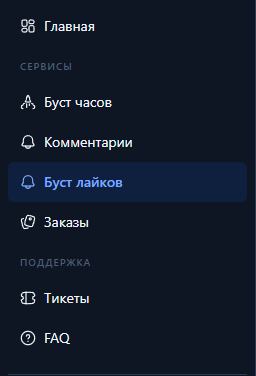
Going into control panel(clickable text) and register or login (if you have previously created an account).
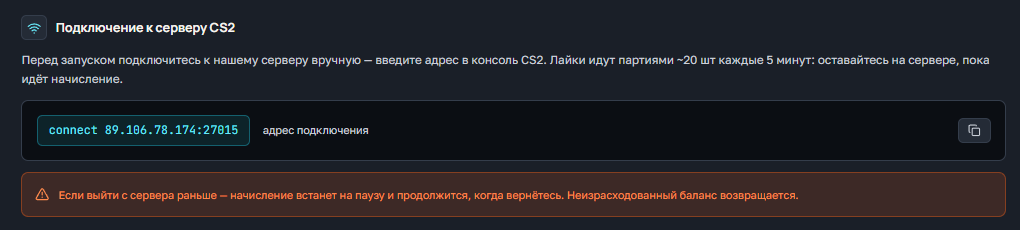
Below you have the section "Подключение к серверу CS2"From there you can copy the address of connection to the server (paste into the console) and commands to start likes (paste or write manually in the game chat).
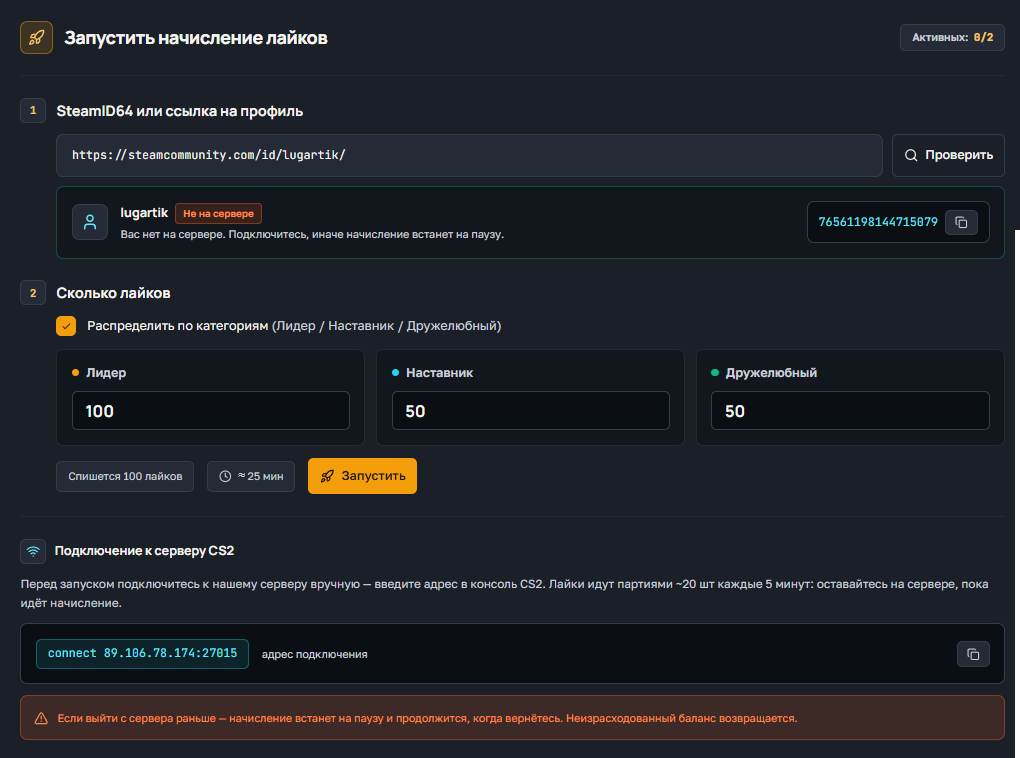
С Вас будет списано то количество лайков, которое Вы указываете. Например 100 на одну категорию или при распределении 100/100/100 так же 100 лайков. При 100/50/50 (или любых других значениях) списывается максимум в одной категории, то есть 100.
Если выйти с сервера раньше — начисление встанет на паузу и продолжится, когда вернётесь. Неизрасходованный баланс возвращается.
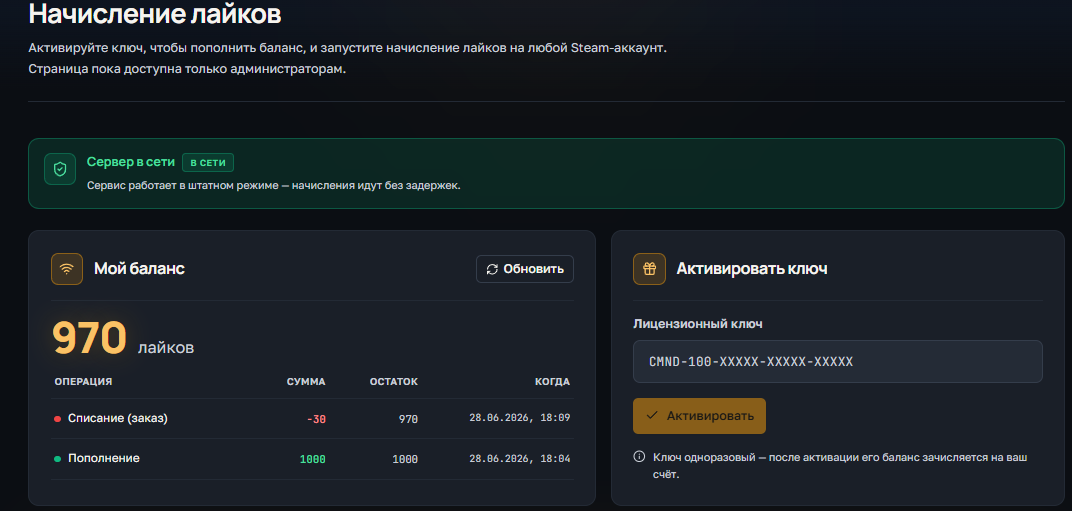
Для проверки баланса у Вас есть поле "Мой баланс", в нем всегда актуальное значение.
Так же в этом поле указаны все списания или зачисления баланса.
Ниже есть 2 поля:
НЕТ! Вы можете использовать лайки на любой аккаунт на сервере, баланс не закрепляется за одним аккаунтом.
На текущий момент, одновременно можно запустить 2 накрутки лайков.
Welcome! Please follow the simple steps to place an order for comment baiting in Steam.
Going into control panel(clickable text) and register or login (if you have previously created an account).
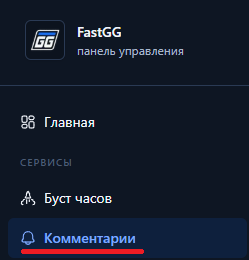
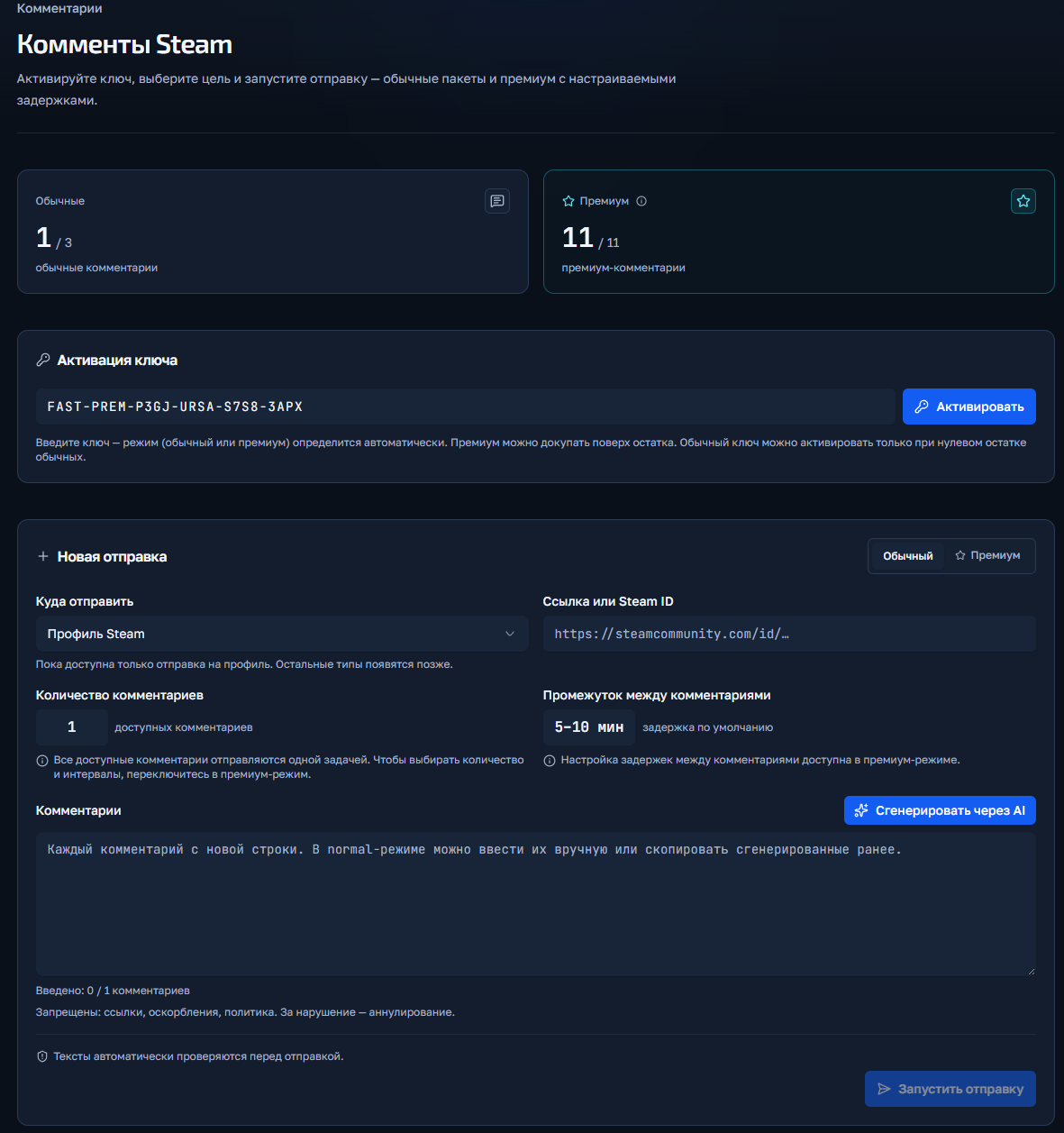
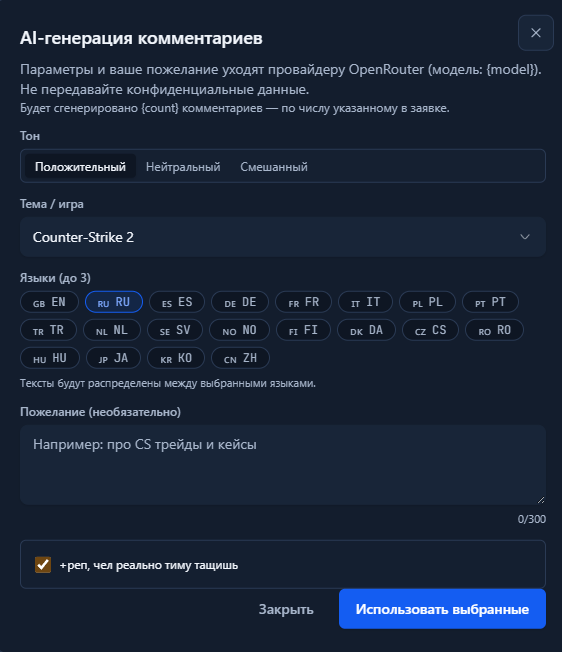
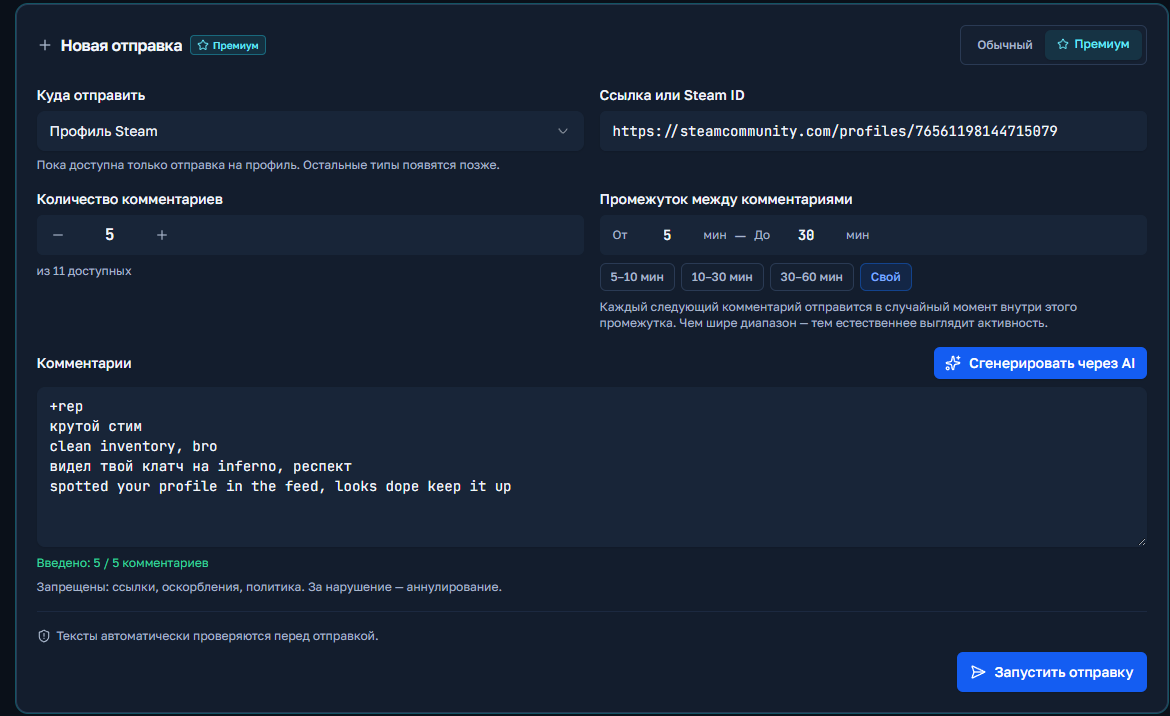
You click the "Start Shipment" button and if there are no errors, the order will start and appear below in the "Shipment History" field.
Welcome! Please follow the simple steps to place an order for a Boost in CS2 or Valorant.
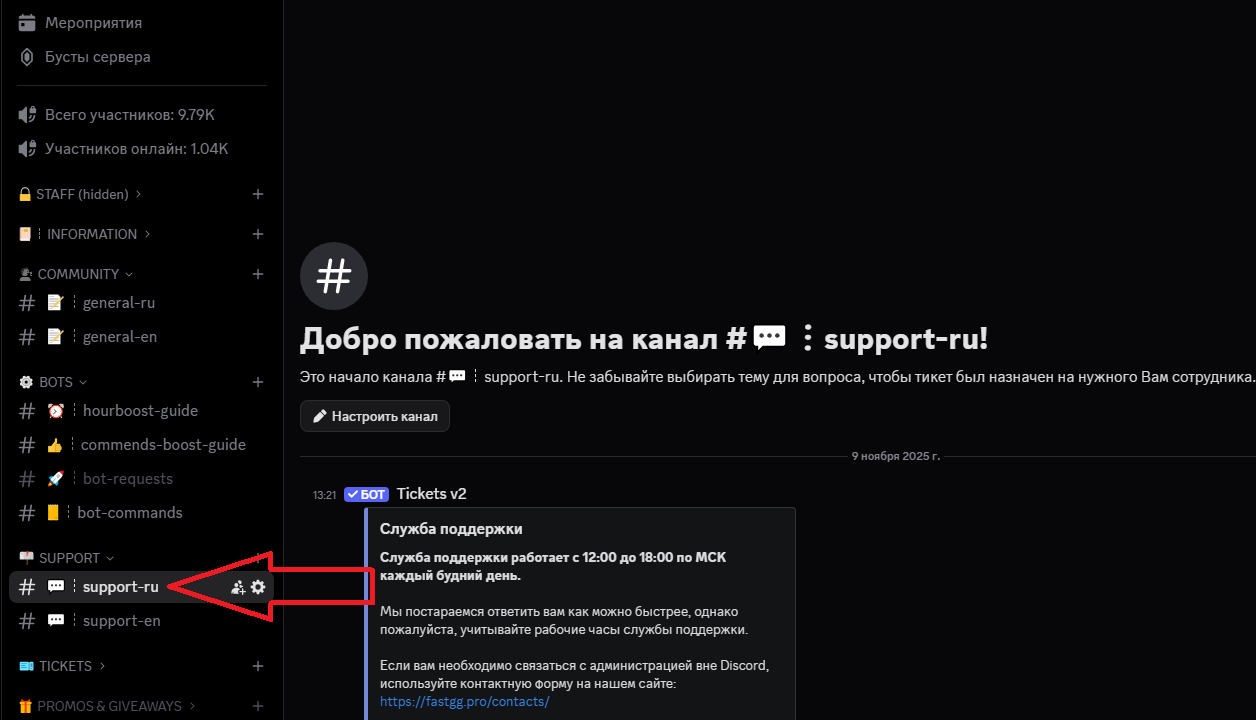
Go to our official Discord server
Find a channel on the server called "#Support-ru or support-en".
In this channel, open a request (ticket) to add an order by selecting the "Boost Rank/Valorant" section.
In the created application form, fill in all necessary data that is requested for ordering (e.g. order no., etc...).
We will quickly process your request and add your order! 😉
Welcome! Please follow the simple steps to activate your key and start Steam cashback
After successful payment, you will receive an electronic check to the email address you provided.
The check will contain:
Go to the panel to control the clock boost and activate the key.
1) Going to the website - https://panel.fastgg.pro/ and register (click "sign in via Google or "Register").
2) Select the "Boost Hours" section (or from the link - https://panel.fastgg.pro/dashboard/hourboost) and in the "Activate key" field insert the key contained in the order receipt.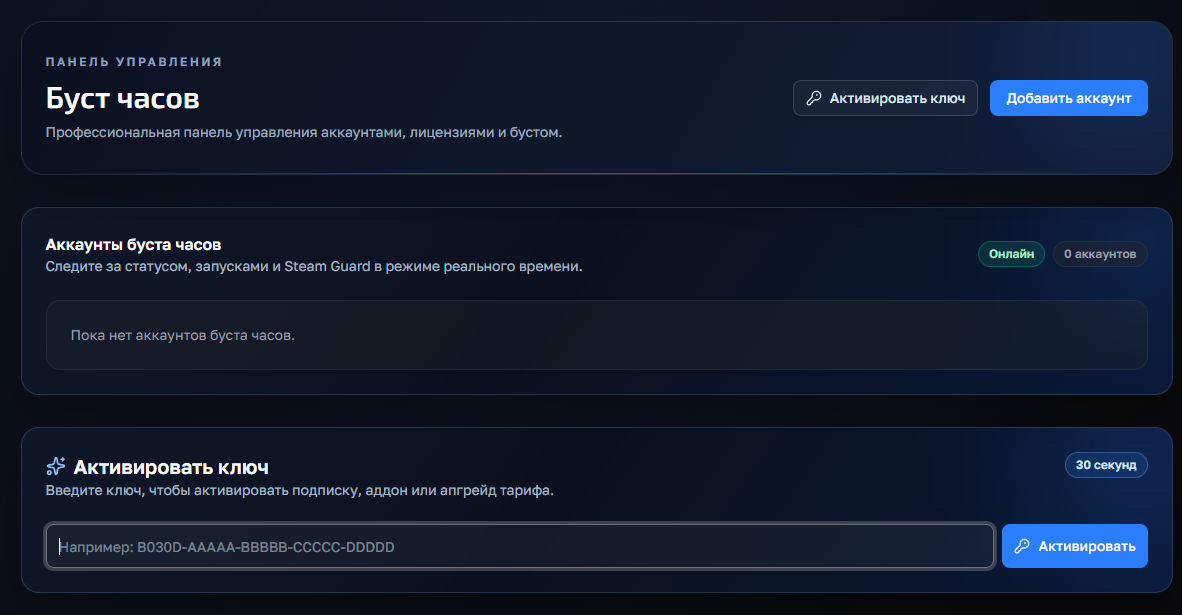
3) Click the "Add Account" button and enter your Stim Login and Password.
4) Now click on the "customize" button, inside you can enter the status (if the tariff allows) and be sure to add games to run (you can enter the names or id of the games).
5) All, click "save" and you can turn on the nakrutka button "Start", further intuitivino site will prompt when you need to enter the code to enter (from mail or on your phone), or will give an error, if there is one.
If you have any problems or questions, we recommend that you pay attention:
1. FAQ section with answers to questions - https://panel.fastgg.pro/dashboard/faq
2. Support/Ticketing system for dialog with support - https://panel.fastgg.pro/dashboard/tickets